
Skip to content
View in the app

A better way to browse. Learn more.

Ford Owners Club - Ford Forums

A full-screen app on your home screen with push notifications, badges and more.

To install this app on iOS and iPadOS
  1. Tap the Share icon in Safari
  2. Scroll the menu and tap Add to Home Screen.
  3. Tap Add in the top-right corner.
To install this app on Android
  1. Tap the 3-dot menu (⋮) in the top-right corner of the browser.
  2. Tap Add to Home screen or Install app.
  3. Confirm by tapping Install.


Join the Independent Ford Owners' Club

Our community has been built by enthusiasts, for enthusiasts, and proudly run by Ford owners' for over 18 years. As an independent, non-official club, everything you’ll find here, advice, support, and opinions, comes directly from members with genuine Ford ownership experience.

Join our friendly community... it's Free!


Fiesta Mk6 Zs Annoying Safety Feature ...
Featured Replies

My mk6 ZS has a feature where the hazard lights come on and flash a few times under hard braking. This is a great safety feature during daily driving in case I ever have to do an emergency stop ..

However I took my ZS round Curburough Sprint track a week or so ago, had great fun and really got to push the car to its handling limits without endangering people by doing it on public roads! And it kept doing its lovely safety feature of flashing the hazard lights every time I broke hard for the first corner (much to the amusement of the guys watching !)

Is there an easy was to temporarily disable this feature?


  • Author

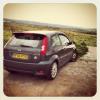
Couple of 'action' shots of the ZS for you all .... :D

post-32626-0-48451600-1358729441_thumb.j

post-32626-0-03705100-1358729457_thumb.j

Hi mate

nice car!

I cant remember that far back but i thought it would be something done with the trip computer button? In the 'Settings' bit?

If notm press and hold the menu button and see what happens?

From the Fiesta manual:

Personalised settings

The following personalised settings

are available on the Message

Centre:

• Remote unlocking

The vehicle can be set to unlock

only the driver’s door or to unlock

all doors when the button is

pressed once.

• Lane change indicators

The direction indicators can be set

to flash three times when the

multifunction lever is tapped up or

down.

• Radio display

The Message Centre can display

some audio system information.

• Hazards on heavy braking

The hazard light can be set to flash

automatically if the brakes are

applied abruptly (e.g. emergency

braking).

• Chimes

Some of the convinience chimes

can be deactivated.

• Language menu

Different languages can be chosen

to be used for the display.

Look at page 7 of the following PDF:

http://share.clubford.ro/documente/manuale/Fiesta/Fiesta%20Mk6%20English.pdf

  • Author

Brilliant, thanks mate!

Latest Deals

Ford UK Shop for genuine Ford parts & accessories

Disclaimer: As the club is an eBay Partner, The club may be compensated if you make a purchase via the club

Join the conversation

You can post now and register later. If you have an account, sign in now to post with your account.

Guest
Reply to this topic...

The "Digestive"


Background Picker
Customize Layout

Account

Navigation

Search

Search

Configure browser push notifications

Chrome (Android)
  1. Tap the lock icon next to the address bar.
  2. Tap Permissions → Notifications.
  3. Adjust your preference.
Chrome (Desktop)
  1. Click the padlock icon in the address bar.
  2. Select Site settings.
  3. Find Notifications and adjust your preference.
