
Skip to content
View in the app

A better way to browse. Learn more.

Ford Owners Club - Ford Forums

A full-screen app on your home screen with push notifications, badges and more.

To install this app on iOS and iPadOS
  1. Tap the Share icon in Safari
  2. Scroll the menu and tap Add to Home Screen.
  3. Tap Add in the top-right corner.
To install this app on Android
  1. Tap the 3-dot menu (⋮) in the top-right corner of the browser.
  2. Tap Add to Home screen or Install app.
  3. Confirm by tapping Install.


Join the Independent Ford Owners' Club

Our community has been built by enthusiasts, for enthusiasts, and proudly run by Ford owners' for over 18 years. As an independent, non-official club, everything you’ll find here, advice, support, and opinions, comes directly from members with genuine Ford ownership experience.

Join our friendly community... it's Free!


Fiesta Speakers
Featured Replies

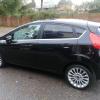
Hi I have just got myself a fiesta titanium on a 12 plate and love it even thought I traded my pride and joy e46 to get it. I have the Sony dab head unit in the car with all the Bluetooth stuff ; - ). The only thing that bugs me is the crappy speakers in the car. I know there are six speakers in total but just want to know what size they are. I want to put mid's in the doors without affecting the door cars if possible and a little sub in the boot to give it a bit of bass. I don't want to start cutting up the door cards just want to bolt the biggest I can straight in. Any advice on what are good but not mega expensive.


I cannot remember the size so i wont take a guess, but i have HERTZ components in the front with one tweeter and one mid speaker, same again in the rears with a 800w sub and 1500w amp i paid about 800 but i had mine fully fitted, its up to you how much you want to spend but please DONT buy focal, kicker, edge, vibe, fli they just sound like a bomb is going off in your car not nice!! Cheap and nasty!! Get something like hertz, pioneer, sony, alpine, and the best advice is get your self down to a car audio shop they will sort you out, DONT go to halfords they will try and sell you s*** and hack half your car apart. If you get it done professional no need for door cards to be broken or cut away.

Hope it helps

I've recently attached my Sub through my original mk7 stereo and what a difference it makes to the front speakers! Because of the way the line driver is wired, it takes all of the load from the front speakers and wheeks it to the sub!

I would do that instead of changing speakers :)

I replaced the stereo and speakers in my old mk5 and preferred the old fordy speakers in!!

  • Author

Hi thanks for the reply's going to upgrade my door speakers and tweeters. Prob going to get Sony speakers to match the stereo or pioneer also going to put a sub in the boot just got to try and find a stealth sub box. Went to my local car audio shop and they said they would not mind if I got the speakers from eBay and they just fit it all in. I am not sure what mk my car is, Its a 2012 car with the Sony dab stereo

yours will be a mk7 m8

Just to say that the bog-standard Zetec 6 speaker system in my 13 reg 5 door impresses me greatly, with a central image in the stereo soundstage that had me searching under the IP for a centre speaker. It sounds very good indeed with the right source, and CD seems to be that source.

  • Author

Yeah the standard sounds good but just fancy a thumping system in the car as can't have the fast car anymore because of the kids. Showing my son how to do doughnuts' in a car park with him on my lap is a bad influence lol :driving: . So if I can't have to power in the engine I want it in the doors :D

Latest Deals

Ford UK Shop for genuine Ford parts & accessories

Disclaimer: As the club is an eBay Partner, The club may be compensated if you make a purchase via the club

Join the conversation

You can post now and register later. If you have an account, sign in now to post with your account.

Guest
Reply to this topic...

The "Digestive"


Background Picker
Customize Layout

Account

Navigation

Search

Search

Configure browser push notifications

Chrome (Android)
  1. Tap the lock icon next to the address bar.
  2. Tap Permissions → Notifications.
  3. Adjust your preference.
Chrome (Desktop)
  1. Click the padlock icon in the address bar.
  2. Select Site settings.
  3. Find Notifications and adjust your preference.
