
Skip to content
View in the app

A better way to browse. Learn more.

Ford Owners Club - Ford Forums

A full-screen app on your home screen with push notifications, badges and more.

To install this app on iOS and iPadOS
  1. Tap the Share icon in Safari
  2. Scroll the menu and tap Add to Home Screen.
  3. Tap Add in the top-right corner.
To install this app on Android
  1. Tap the 3-dot menu (⋮) in the top-right corner of the browser.
  2. Tap Add to Home screen or Install app.
  3. Confirm by tapping Install.


Join the Independent Ford Owners' Club

Our community has been built by enthusiasts, for enthusiasts, and proudly run by Ford owners' for over 18 years. As an independent, non-official club, everything you’ll find here, advice, support, and opinions, comes directly from members with genuine Ford ownership experience.

Join our friendly community... it's Free!


Clutch/gearbox Problem?
Featured Replies

Coming home from work on Tuesday, all was well.


Get in the car the next day, move off and get on the road, and the gears were suddenly really resistant and needed a lot of force to shift.


I can still drive it, but as I say, it just takes a lot of effort to move the stick.


Doesn't grind at all, apart from reverse on occasion.


There also seems to be a new rattle/tapping sound that appears when the clutch is pressed down (thrust bearing?).


Haven't really noticed any slip and the bite seems as good as before.


Clutch/brake fluid level ok.


Gears move fine with the engine switched off, but not when its on.


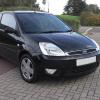
54 plate with 59k.


Anyone know for definite what the cause is?


Is the clutch gone/on the way out?


Had exactly the same problem with my 54 plate Fiesta Finesse (60k on the clock). There is a known fault with Fiesta's cylinder rod not connecting to the pedal correctly. A quick google search and you will see lots of people on different forums with the same problem. See here ---> http://www.rac.co.uk/forum/showthread.php?6261-56-Plate-Ford-Fiesta-Clutch-Gear-Problems

http://www.rac.co.uk/forum/showthread.php?15596-fiesta-clutch-issue

Ford dealerships should be able to provide a clip that will keep the pedal line with the master cylinder. Pop your head under the steering with some cable ties ready (and a torch) if there is a plastic cone to your right going into a cylinder. If it's not going into the cylinder when you press the clutch down use a cable tie to align them.

Cable ties are just a quick fix, I'd recommend using a bolt through the clutch pedal (there should be a hole for one anyway) to keep things nice a secure.

p.s I am not a mechanic so I'd expect someone will correct my terminology, I will post some pictures of mine if that helps. Will get the camera out tonight.

M

  • Author

Thanks for the reply.

A picture would be appreciated for reference.

I read about the cylinder rod issue before I bought the car so was prepared, and promptly secured it with a cable tie.

I've driven the car for 2000 miles with it like that and its been fine.

Drove it to work and back one day and was completely fine, then I go to drive it the next day and it was a suddenly a bag of crap; changed 'just like that' overnight. No warning or prior symptoms to indicate otherwise.

I say your clutch is gone u can still change gear on a car without a clutch this is safer the slamming into gear I seen people wrecking input shaft in gearbox by slamming into gear best getting it sorted now

Latest Deals

Ford UK Shop for genuine Ford parts & accessories

Disclaimer: As the club is an eBay Partner, The club may be compensated if you make a purchase via the club

Join the conversation

You can post now and register later. If you have an account, sign in now to post with your account.

Guest
Reply to this topic...

The "Digestive"


Background Picker
Customize Layout

Account

Navigation

Search

Search

Configure browser push notifications

Chrome (Android)
  1. Tap the lock icon next to the address bar.
  2. Tap Permissions → Notifications.
  3. Adjust your preference.
Chrome (Desktop)
  1. Click the padlock icon in the address bar.
  2. Select Site settings.
  3. Find Notifications and adjust your preference.
