
Skip to content
View in the app

A better way to browse. Learn more.

Ford Owners Club - Ford Forums

A full-screen app on your home screen with push notifications, badges and more.

To install this app on iOS and iPadOS
  1. Tap the Share icon in Safari
  2. Scroll the menu and tap Add to Home Screen.
  3. Tap Add in the top-right corner.
To install this app on Android
  1. Tap the 3-dot menu (⋮) in the top-right corner of the browser.
  2. Tap Add to Home screen or Install app.
  3. Confirm by tapping Install.


Join the Independent Ford Owners' Club

Our community has been built by enthusiasts, for enthusiasts, and proudly run by Ford owners' for over 18 years. As an independent, non-official club, everything you’ll find here, advice, support, and opinions, comes directly from members with genuine Ford ownership experience.

Join our friendly community... it's Free!
 

A Sad Day

Featured Replies

Due to unforseen circumstances my trusty mondeo has to be sold on, need to clear the finance and use the money for other things so by the end of the week it will no longer belong to me :-( I am collecting a car this afternoon as a replacement which has been bought outright, hopefully it will be up to the job to keep me and my family safe and sound, will update when I get some pics

Sent from my SM-N9005 using Ford OC mobile app


whats the new car Pete??

  • Author

Ooh now that's a secret for the moment mate, all will be revealed later :-)

Sent from my SM-N9005 using Ford OC mobile app

ooooooooooo im sensing an RS focus ;)

but....but....but.... NOOOOOOOOOOOOOOOO!!!!!!!!!!!!!!!!!!!!!!

If its a vauxhall I should ban you right now! :p

I look forward to hearing what it is though, although sad to see the mondy go!

  • Author

ooooooooooo im sensing an RS focus ;)

I wish mate unfortunately it is another car brand, I've got to go to work so pics will have to wait til tomorrow, to put you out of your misery it's a BMW :-)

Sent from my SM-N9005 using Ford OC mobile app

  • Author

Mondy has now gone, haven't got a any pics of the new car yet but will do it soon, sad to see the car go tbh

Sent from my SM-N9005 using Ford OC mobile app

Your dead to me... Lol

Sound like you will miss it though, hopefully the bm I'd good to you.

Sent from my MY SAGA C2 using Ford OC mobile app

  • Author

Lol I thought people would be chuffed with my new choice ;-) yeah it makes sense financially and the BM is quite a nice car, I'm gonna be cleaning it tomorrow so will actually get some pics done

Sent from my SM-N9005 using Ford OC mobile app

Look forward to seeing it although I do wonder if your bank will suffer more for it...

Sent from my MY SAGA C2 using Ford OC mobile app

  • Author

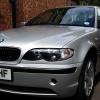
As promised some pics of the replacement car it's a 2004 320i with 73k on the clock, in seriously good condition and now I'm completely debt free :-)

Sent from my SM-N9005 using Ford OC mobile app

post-7030-140586927046_thumb.jpg

post-7030-140586929371_thumb.jpg

post-7030-140586931915_thumb.jpg

Looks alright I guess but to be fair being debt free is equally important!

Sent from my MY SAGA C2 using Ford OC mobile app

  • Author

Looks alright I guess but to be fair being debt free is equally important!

Sent from my MY SAGA C2 using Ford OC mobile app

Yeah unfortunately things in my life has had a turnaround so its a necessity mate, shame really as I liked the big old bus

Not gonna lie, I did have a chuckle when I read that you've downgraded to BMW lol

Sent from my SM-P600 using Ford OC mobile app

Latest Deals

Ford UK Shop for genuine Ford parts & accessories

Disclaimer: As the club is an eBay Partner, The club may be compensated if you make a purchase via the club

Join the conversation

You can post now and register later. If you have an account, sign in now to post with your account.

Guest
Reply to this topic...

The "Digestive"


Background Picker
Customize Layout

Account

Navigation

Search

Search

Configure browser push notifications

Chrome (Android)
  1. Tap the lock icon next to the address bar.
  2. Tap Permissions → Notifications.
  3. Adjust your preference.
Chrome (Desktop)
  1. Click the padlock icon in the address bar.
  2. Select Site settings.
  3. Find Notifications and adjust your preference.
