
Skip to content
View in the app

A better way to browse. Learn more.

Ford Owners Club - Ford Forums

A full-screen app on your home screen with push notifications, badges and more.

To install this app on iOS and iPadOS
  1. Tap the Share icon in Safari
  2. Scroll the menu and tap Add to Home Screen.
  3. Tap Add in the top-right corner.
To install this app on Android
  1. Tap the 3-dot menu (⋮) in the top-right corner of the browser.
  2. Tap Add to Home screen or Install app.
  3. Confirm by tapping Install.


Join the Independent Ford Owners' Club

Our community has been built by enthusiasts, for enthusiasts, and proudly run by Ford owners' for over 18 years. As an independent, non-official club, everything you’ll find here, advice, support, and opinions, comes directly from members with genuine Ford ownership experience.

Join our friendly community... it's Free!


Looking a buying a Mondeo Tit X
Featured Replies

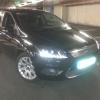
Looking at getting a new car. Previously had a 2008 Mondeo 2.0TDCI and loved it. I came across a 2009 Mondeo 1.8 TDCI which I had a look at the other day.

Being a Titanium X model its loaded with extras. I particularly like the heated seats and the way the mirrors open and close when the car is locked/unlocked. The only thing I don't like is that it isn't a the 5 door model and I dislike the 16'' alloys but I can always change them.

I thought the 125bhp would be dead in comparison to my old 140 but to be fair it's lively enough, definitely more boosty than the 2.0 when the turbo kicks in. Low down torque isn't great though but not as bad as the stories I had heard.

First question I have is being the 1.8 TDCI is it true this engine was never fitted with a DPF?...This was always what I thought but speaking to a guy that works in a motor factors he claims some of the 1.8 diesels had DPFs and others didnt. It would be a massive bonus if I didn't as I have had awful problems in the past with DPF's in various cars.

The next is this car is fitted with factory front and rear parking sensors. I have seem some models have Optical Park Assist where the sensors give a display on the Ford Convers+ computer but this car hasn't this option. Is it possible to somehow retrofit this to the existing car?

Thirdly this car has those AFS headlights, the ones with the projector lens. They are not Xenon just regular halogen. Are these headlights much better than the standard Mondeo headlights? And do these come with a corner light as standard in addition to moving the low beams around corners?

Thanks for any help in advance


AFAIK the 1.8 is non DPF, headlight no better than standard and don't come with cornering lights, as to the parking sensors no idea.

Definatley no DPF to worry about.

The parking assist is something a chap called Mortal on Talkford has written. He sells this update and it comes with other features too

As for the lights, get a nice set of HID's, it will look nice in the projector lights and will look like Xenons

  • Author

Thanks for the replies.

Glad to hear the 1.8 has no DPF, one less headache to worry about.  I was possibly looking at getting a remap to improve the turbo lag issue which should take better not having a DPF.

I'll look into contacting Mortal so, seen a few images on google of that park assist feature on the Convers+ and most of them seem to link back to him.

HID's are something I will definitely be doing. The light distribution should be far better in the projector lenses. The fact of having AFS lights that corner should be one up on the factory Xenon's as they don't seem to have that feature.

Latest Deals

Ford UK Shop for genuine Ford parts & accessories

Disclaimer: As the club is an eBay Partner, The club may be compensated if you make a purchase via the club

Join the conversation

You can post now and register later. If you have an account, sign in now to post with your account.

Guest
Reply to this topic...

The "Digestive"


Background Picker
Customize Layout

Account

Navigation

Search

Search

Configure browser push notifications

Chrome (Android)
  1. Tap the lock icon next to the address bar.
  2. Tap Permissions → Notifications.
  3. Adjust your preference.
Chrome (Desktop)
  1. Click the padlock icon in the address bar.
  2. Select Site settings.
  3. Find Notifications and adjust your preference.
