
Skip to content
View in the app

A better way to browse. Learn more.

Ford Owners Club - Ford Forums

A full-screen app on your home screen with push notifications, badges and more.

To install this app on iOS and iPadOS
  1. Tap the Share icon in Safari
  2. Scroll the menu and tap Add to Home Screen.
  3. Tap Add in the top-right corner.
To install this app on Android
  1. Tap the 3-dot menu (⋮) in the top-right corner of the browser.
  2. Tap Add to Home screen or Install app.
  3. Confirm by tapping Install.


Join the Independent Ford Owners' Club

Our community has been built by enthusiasts, for enthusiasts, and proudly run by Ford owners' for over 18 years. As an independent, non-official club, everything you’ll find here, advice, support, and opinions, comes directly from members with genuine Ford ownership experience.

Join our friendly community... it's Free!


Track names not displayed in bluetooth media mode in 63 reg Fiesta, any help?
Featured Replies

Hi there,

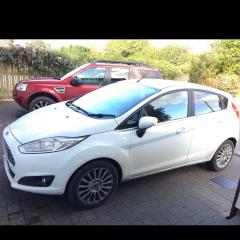
A few months ago I bought a Ford Fiesta 1L Ecoboost (125bhp), Titanium, 63 reg. I have been having no trouble with connecting my phone and others via bluetooth to Sync media, however when playing music via bluetooth my car does not display track names/artists, but it does when playing music via the USB wired connection.

A friend of mine has a lower spec fiesta (zetec), but a newer model (14 reg) and can get their bluetooth mode to display track names... I have been warned that these systems wok better with android phones rather than iPhones (which is what I have) and it is an android phone that my friend uses.

Has anyone found similar issues? Or knows whether a 63 reg car is simply not new enough to support the track name information when in bluetooth mode, despite being high spec?

Both my Sync and iPhone software are on the most recent updates... Any ideas?

Thanks!

drward1


There was a change in Sync module some time in 2014 that permitted this option. You can update your Sync module with one from a newer module. There's a couple of threads on how to do that on here

Let me know if you need the module I have a full Dab system see below if it helps


This thread will help as Thai said you gotta change the module with a newer one.


10 hours ago, 10tenmen said:

Let me know if you need the module I have a full Dab system see below if it helps


Sadly the 1.0 unit (part no. AM5T) is the one without the track names. The module you will need is SYNC 1.1 (part no. D1BT).

On another note, how much are you selling the DAB head unit for pal?

Hi Luke if its just the head unit then £35 all the lot £60 thanks.

9 hours ago, 10tenmen said:

Hi Luke if its just the head unit then £35 all the lot £60 thanks.

I was thinking I might need the screen too, any maybe the fascia (unless you counted that as the head unit). So depends how much you want posted, paying with PayPal?


I will send it all which is Head unit and Facia, Bluetooth Module with screen and shroud for £65 posted recorded delivery you can send me a pm and we can swap details if that suits, Regards Gary

  • Author
On 21/11/2017 at 9:05 AM, ToXIcG said:

This thread will help as Thai said you gotta change the module with a newer one.


Thank you very much for this! Has been extremely helpful

Latest Deals

Ford UK Shop for genuine Ford parts & accessories

Disclaimer: As the club is an eBay Partner, The club may be compensated if you make a purchase via the club

Join the conversation

You can post now and register later. If you have an account, sign in now to post with your account.

Guest
Reply to this topic...

The "Digestive"


Background Picker
Customize Layout

Account

Navigation

Search

Search

Configure browser push notifications

Chrome (Android)
  1. Tap the lock icon next to the address bar.
  2. Tap Permissions → Notifications.
  3. Adjust your preference.
Chrome (Desktop)
  1. Click the padlock icon in the address bar.
  2. Select Site settings.
  3. Find Notifications and adjust your preference.
