
Skip to content
View in the app

A better way to browse. Learn more.

Ford Owners Club - Ford Forums

A full-screen app on your home screen with push notifications, badges and more.

To install this app on iOS and iPadOS
  1. Tap the Share icon in Safari
  2. Scroll the menu and tap Add to Home Screen.
  3. Tap Add in the top-right corner.
To install this app on Android
  1. Tap the 3-dot menu (⋮) in the top-right corner of the browser.
  2. Tap Add to Home screen or Install app.
  3. Confirm by tapping Install.


Join the Independent Ford Owners' Club

Our community has been built by enthusiasts, for enthusiasts, and proudly run by Ford owners' for over 18 years. As an independent, non-official club, everything you’ll find here, advice, support, and opinions, comes directly from members with genuine Ford ownership experience.

Join our friendly community... it's Free!


Anyone proficient with electrical gremlins?
Featured Replies

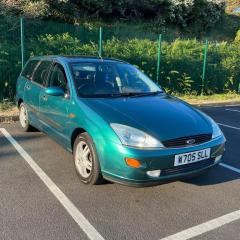
Hello! I’ve started having some electrical gremlins just for my interior electricals. When driving my 2000 focus, occasionally all dash instruments including the radio seem to shut off but the car still runs fine. Wondering if anyone’s had a similar experience? Thank you everyone 🙂 


Likely to be an electronic fault with the cluster itself.  There are many people offering cluster repair services nowadays.

If you want to try an easy fix first, pull the cluster out and make sure the plug is fitted in the back tightly.

I just looked through the wiring diagrams and the common point for both the radio and instrument cluster shutting down seems to be related to the power from the ignition switch Accessory position dropping.
You should be able to replicate the issue by removing Fuse 50.
If the above recreates the problem,  it points to the ignition switch or wiring between the switch to Fuse 50

  • Author

Thank you @TomsFocus & @Dan62 for the help - much appreciated. When I’ve got some time I’ll do some testing and report back in case anyone else has the same kind of issue!

Latest Deals

Ford UK Shop for genuine Ford parts & accessories

Disclaimer: As the club is an eBay Partner, The club may be compensated if you make a purchase via the club

Join the conversation

You can post now and register later. If you have an account, sign in now to post with your account.

Guest
Reply to this topic...

The "Digestive"


Background Picker
Customize Layout

Account

Navigation

Search

Search

Configure browser push notifications

Chrome (Android)
  1. Tap the lock icon next to the address bar.
  2. Tap Permissions → Notifications.
  3. Adjust your preference.
Chrome (Desktop)
  1. Click the padlock icon in the address bar.
  2. Select Site settings.
  3. Find Notifications and adjust your preference.
