
Skip to content
View in the app

A better way to browse. Learn more.

Ford Owners Club - Ford Forums

A full-screen app on your home screen with push notifications, badges and more.

To install this app on iOS and iPadOS
  1. Tap the Share icon in Safari
  2. Scroll the menu and tap Add to Home Screen.
  3. Tap Add in the top-right corner.
To install this app on Android
  1. Tap the 3-dot menu (⋮) in the top-right corner of the browser.
  2. Tap Add to Home screen or Install app.
  3. Confirm by tapping Install.


Join the Independent Ford Owners' Club

Our community has been built by enthusiasts, for enthusiasts, and proudly run by Ford owners' for over 18 years. As an independent, non-official club, everything you’ll find here, advice, support, and opinions, comes directly from members with genuine Ford ownership experience.

Join our friendly community... it's Free!


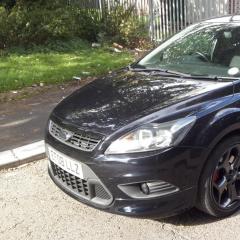
Focus 2.5 2008 1.8tdci titanium mods & upgrades
Featured Replies

  • Author
On Saturday, September 17, 2016 at 4:58 PM, b4zz said:

great find and look forward to seeing them fitted

Just fitted the mirror repeaters, easy fit like you said, keeps in with the stealth look too :ph34r:

Cheers mate20160920_180931.jpg20160920_180952.jpg20160920_181004.jpg


  • Replies 116
  • Views 30.9k
  • Created
  • Last Reply

Top Posters In This Topic

Most Popular Posts

  • Couple more little mods done to the car over the weekend, picked up the rear ST Recaro leather seats for a bargain price so just finished fitting themAm on the lookout for matching front seats, heated

  • You're welcome ;) ... buy the cable with 90° connector, at least on one end, otherwise you won't be able to close the glovebox properly - the connector will be in the way. Really a terrible place to p

  • Thanks guys, will take the glove box out and see if my module has the usb socket then (fingers crossed)!! Will have to wait till next week as the car is going into paint shop tomorrow for the front li

Posted Images

  • Author
On Monday, September 19, 2016 at 6:48 PM, yunii said:

fc8ef1bf54e4d35443b5a238f601fcf9.jpg

Yunii

Sent from my SM-G925F using Tapatalk

Thanks for the advice,  I'd worked out the aux connection in the glove box but what did you use for the usb feed? I'm assuming it's only used for charging phones etc and has no connection to the stereo?

  • Author
9 hours ago, Paddy.t said:

Car is looking good pal. Give me a wave if you see me about. Sheffield lad too.

IMAG0737.jpg

Thanks mate, will do!!! Yours is looking good too (not sure about the red tho with me being an owl)!! Liking the drl's, it's on my to do list but bit worried about the electrics, not my strong point :wallbash:

fc8ef1bf54e4d35443b5a238f601fcf9.jpg

Yunii

Sent from my SM-G925F using Tapatalk

Thanks for the advice,  I'd worked out the aux connection in the glove box but what did you use for the usb feed? I'm assuming it's only used for charging phones etc and has no connection to the stereo?

Aux feed taken from glovebox to switch then once switch has power you can use for 2 things .

one is a 3.5mm jack pin is for ipod or phone connection for music if you have on phone or from internet via phone data .once you select aux on your radio. The other is usb charger. I used a female usb to male connected to usb pin coming from the switch, which then goes into usb 12v power outlet adapter in 12v power feed behind cig lighter or elsewhere.

Yunii

Sent from my SM-G925F using Tapatalk

These are bits needed.

1c247db8304e85c8faabda90da3ee404.jpg

38cdf77fdd8e41cd66f6209fec808424.jpg

13a811ebef69c0837e057687075a196a.jpg

fbdf6ac0bc77a6df7de98b84d0ede63c.jpg

Yunii

Sent from my SM-G925F using Tapatalk

  • Author

I've got one on order but it's coming from China so should be here next week or so, will let you know how I get on, thanks for the help :thumbsup:

If you look at my guides link (under my posts on a PC) there is one for setting up the usb charging/aux kit.

Sent from my SM-G930F

Whoa, let's not forget this simple guide to make USB more useful, rather than just for charging!

It's simple to check for required parts and even source them on ebay, or at breakers, so I would much rather focus on getting this work, other than just charging and use crappy AUX for music...you may as well just burn your music to CDs then! :D

One more thing about the AUX...if you get one of these:

http://www.ebay.co.uk/itm/3-5mm-Car-Interface-Aux-in-Adapter-Cables-For-Ford-Focus-Mk2-C-Max-S-Max-6000-/201634159550?hash=item2ef2551bbe:g:JgMAAOSweXhXmbyB

you can replace your original AUX socket in the glovebox - or actually it's wiring on the stereo connector, and plug this new connector straight to the USB/AUX socket. So no need to wire it back and forward to the glove box...

You will then have the complete AUX/USB solution with the most OEM look you can get. More OEM look will be only if you could find the armrest with USB/AUX socket in it, then it's the complete solution.

  • Author
1 hour ago, ScorpionSX said:

Whoa, let's not forget this simple guide to make USB more useful, rather than just for charging!

It's simple to check for required parts and even source them on ebay, or at breakers, so I would much rather focus on getting this work, other than just charging and use crappy AUX for music...you may as well just burn your music to CDs then! :D

One more thing about the AUX...if you get one of these:

http://www.ebay.co.uk/itm/3-5mm-Car-Interface-Aux-in-Adapter-Cables-For-Ford-Focus-Mk2-C-Max-S-Max-6000-/201634159550?hash=item2ef2551bbe:g:JgMAAOSweXhXmbyB

you can replace your original AUX socket in the glovebox - or actually it's wiring on the stereo connector, and plug this new connector straight to the USB/AUX socket. So no need to wire it back and forward to the glove box...

You will then have the complete AUX/USB solution with the most OEM look you can get. More OEM look will be only if you could find the armrest with USB/AUX socket in it, then it's the complete solution.

Thanks for your help, I do have the voice button behind the steering wheel and also the button on my stereo only says 'info' so hopefully will have the correct module. Is it located behind the glove box?

54 minutes ago, SuperOwls said:

Thanks for your help, I do have the voice button behind the steering wheel and also the button on my stereo only says 'info' so hopefully will have the correct module. Is it located behind the glove box?

Yes, see Guide here for accessing the Bluetooth module


If you have "VOICE", you're halfway there. Only check (yes, behind the glove box), if the module has one spare port - mini USB (female, I believe). If it does, all you need to do, is to plug the USB cable from the USB/AUX socket into this port and voila! You have USB connectivity! 

If there isn't the USB port on the module, you just need to source the module on ebay/breakers and swipe it for the one you currently have. Not much of a work, and I believe you also need to set some things with elmconfig, but I'm not sure - rather check the guide above on this. 

  • Author

Thanks guys, will take the glove box out and see if my module has the usb socket then (fingers crossed)!! Will have to wait till next week as the car is going into paint shop tomorrow for the front lip & rear diffuser fitting so should be looking the part by the weekend. Will put pics up when it's back

Also found these on ebayhttp://m.ebay.co.uk/itm/Focus-St-225-5-Door-Side-Skirts-/252548696069?nav=SEARCH

am very tempted as they're panther black and 5 door and only 20mins drive away from me, look like they need a bit of work but don't come up often, especially at that price

On ‎20‎/‎09‎/‎2016 at 6:47 PM, SuperOwls said:

Just fitted the mirror repeaters, easy fit like you said, keeps in with the stealth look too :ph34r:

Cheers mate20160920_180931.jpg20160920_180952.jpg20160920_181004.jpg

looking good and glad you had no probs fitting them for something so small it makes a big difference

  • Author

Just got car back with rear diffuser and front lip fitted. Happy with the job - makes a difference but doesn't stand out much with it being black, I think I like it that way. Seems a bit subtle, rather than in your face20160925_123240.jpg20160925_123227.jpg20160925_123255.jpg20160925_123305.jpg20160925_123326.jpg20160925_123344.jpgNext job is nice and cheap, painting calipers front & rear next week

Looking great 👍

Very nice!

Car screaming for sideskirts.

Also twin exit exhaust

Yunii

Sent from my SM-G925F using Tapatalk

Very nice!

Car screaming for sideskirts.

Also twin exit exhaust

Yunii

Sent from my SM-G925F using Tapatalk

Very nice!

Car screaming for sideskirts.

Also twin exit exhaust

Yunii

Sent from my SM-G925F using Tapatalk

  • Author
1 hour ago, yunii said:

Very nice!

Car screaming for sideskirts.

Also twin exit exhaust

Yunii

Sent from my SM-G925F using Tapatalk

They are on the to do list but will need save up a bit now cos have spent just over a grand on mods since buying the car 2 months ago so will be doing a few low cost mods next.....unless I get tempted!!

  • Author
2 hours ago, Lenny said:

Looking great 👍

Cheers mate, it's getting there, bit by bit

looking good with the front and rear skirt

  • Author

One down....Three to go!!! :blink:20160928_180613.jpg20160928_182710.jpg

looking good fella

One down....Three to go!!! blink.png20160928_180613.jpg20160928_182710.jpg

Red really does look well on black wheels. I went for gold

1ccdf68533625e72520a61536957eedd.jpg

c71364e9abbd12e2b4211a1923ceca4b.jpg

15ded74df7e63f81e107472441647aa0.jpg

b539627b628b59ce54730e735fe92aa1.jpg

24fee83907c813ad2371348445a9de91.jpg

Yunii

Sent from my SM-G925F using Tapatalk

  • Author
2 hours ago, yunii said:


Red really does look well on black wheels. I went for gold

Yunii


Sent from my SM-G925F using Tapatalk

Looks mint with those discs, what make are they?

Latest Deals

Ford UK Shop for genuine Ford parts & accessories

Disclaimer: As the club is an eBay Partner, The club may be compensated if you make a purchase via the club

Join the conversation

You can post now and register later. If you have an account, sign in now to post with your account.

Guest
Reply to this topic...

The "Digestive"


Background Picker
Customize Layout

Account

Navigation

Search

Search

Configure browser push notifications

Chrome (Android)
  1. Tap the lock icon next to the address bar.
  2. Tap Permissions → Notifications.
  3. Adjust your preference.
Chrome (Desktop)
  1. Click the padlock icon in the address bar.
  2. Select Site settings.
  3. Find Notifications and adjust your preference.
