
Skip to content
View in the app

A better way to browse. Learn more.

Ford Owners Club - Ford Forums

A full-screen app on your home screen with push notifications, badges and more.

To install this app on iOS and iPadOS
  1. Tap the Share icon in Safari
  2. Scroll the menu and tap Add to Home Screen.
  3. Tap Add in the top-right corner.
To install this app on Android
  1. Tap the 3-dot menu (⋮) in the top-right corner of the browser.
  2. Tap Add to Home screen or Install app.
  3. Confirm by tapping Install.


Join the Independent Ford Owners' Club

Our community has been built by enthusiasts, for enthusiasts, and proudly run by Ford owners' for over 18 years. As an independent, non-official club, everything you’ll find here, advice, support, and opinions, comes directly from members with genuine Ford ownership experience.

Join our friendly community... it's Free!


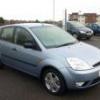
Our new Fiesta! :)
Featured Replies

Hi all,

Picked up our new fiesta this week after trading in our MGZR and so far we're loving the fiesta!

Took some pics as the weather was actually dry for once so here it is:

100_4515.jpg

100_4518.jpg

100_4524.jpg

100_4527.jpg

100_4529.jpg

100_4530.jpg

And there she is! Its a 54 plate 1.4 Flame with one old lady owner from new and only just over 13k on the clock. Also with full Ford service history. Only downside is we had to travel some distance to get it but its far better than everything else we'd looked at in our budget. We're thinking of one or two little mods like clear side indicators, glovebox light and thats pretty much it for now.

We'd like electric mirrors too but does anyone know if the wiring would be there in the doors or would i have to get the door loom too??

Hope you like it.

Mark :D


nice car! you obviously got the old lady special with that one, always a good sign! looks in good condition :) keep us updated with it!

Looks like a tidy little car Mark - can see why you're pleased.

  • Author

Cheers for the comments. We're really happy with it. Spare wheel is even brand new and untouched!

Anyone shed any light on the electric wing mirror wiring? We wanna fit electric mirrors but it would be nice if all the wiring was there first.

Cheers,

Mark :)

nice and tidy motor :)

Looks greats

You can fit electric mirrors to your car but unless you are any good with electronics it is not as easy as you would hope.

Non of the wiring is there. Also you need a control module.

On some models the control module for the electric mirrors is part of the GEM module. If it is the case with you car you would be looking at a lot of money as you would have to get a new GEM module and then it would need programing.

  • Author

Been looking at wiring diagrams for the mirrors and its simple. There is no module of any description that i could see. All the wiring seems to go to the switch and then the switch has its live, ground and wires that connect to the heated rear window circuit for the heated section of the mirror to work. Will look into it more though in the next few days or so.

Mark :)

Just had another look and on the wiring diagram, the mirror is wired into the GEM module but only for the heated part of the mirror. The movement of the mirror is completely separate and to be honest if the heated bit doesn't work then i wouldn't be too bothered as its the motorised bit i'd want working. I can't see why it wouldn't though as its wired into the heated rear screen wires and goes into the GEM module via that and that is all working so in theory the mirror should also work.

Edited by markus250

In that case, you could have a go at wiring the mirrors in without using the GEM module.

I am afraid that without looking at the wiring diagram for it I can not be any more help than that.

Latest Deals

Ford UK Shop for genuine Ford parts & accessories

Disclaimer: As the club is an eBay Partner, The club may be compensated if you make a purchase via the club

Join the conversation

You can post now and register later. If you have an account, sign in now to post with your account.

Guest
Reply to this topic...

The "Digestive"


Background Picker
Customize Layout

Account

Navigation

Search

Search

Configure browser push notifications

Chrome (Android)
  1. Tap the lock icon next to the address bar.
  2. Tap Permissions → Notifications.
  3. Adjust your preference.
Chrome (Desktop)
  1. Click the padlock icon in the address bar.
  2. Select Site settings.
  3. Find Notifications and adjust your preference.
