
Skip to content
View in the app

A better way to browse. Learn more.

Ford Owners Club - Ford Forums

A full-screen app on your home screen with push notifications, badges and more.

To install this app on iOS and iPadOS
  1. Tap the Share icon in Safari
  2. Scroll the menu and tap Add to Home Screen.
  3. Tap Add in the top-right corner.
To install this app on Android
  1. Tap the 3-dot menu (⋮) in the top-right corner of the browser.
  2. Tap Add to Home screen or Install app.
  3. Confirm by tapping Install.


Join the Independent Ford Owners' Club

Our community has been built by enthusiasts, for enthusiasts, and proudly run by Ford owners' for over 18 years. As an independent, non-official club, everything you’ll find here, advice, support, and opinions, comes directly from members with genuine Ford ownership experience.

Join our friendly community... it's Free!


Fiesta Mk8 Reversing Camera advice.
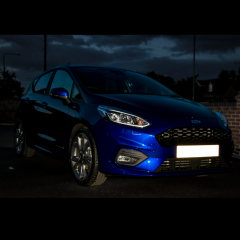
Featured Replies

Hi all,


This is my 3rd Mk8 fiesta. I have moved from an ST to one of the MHev ones. The new one has all the spec I could wish for, apart from a reversing camera. 


I know that I am looking at roughly £600 for a factory-like camera to be fitted to the screen. Does anyone have any cheaper options available? I have seen that Motormax make a factory-like camera, is it possible to save some cash by getting a mirror monitor etc for that? 


Thanks,


You can do it yourself with a factory camera for under £150. Buy a second hand camera  and  use the cardiagn.com circuit diagrams to connect the whole lot together.

You need eight VW contact pins,(000979009E) a bit of heat shrink sleeving, some twin core screened wire, about 20 feet to route it through the car, a 7mm socket, a t20 screwdriver, trim removal spatulas, about 20 feet of 19.01 wire and the time and confidence to do this job. Three of the contacts are crimped onto the signal wires and fitted into the APIM module, the other five are connected to the camera at the tailgate end. As the plug for this is hard to get, the contacts are sleeved with heatshrink and secured with a small dab of silicone before passing the cable through the camera aperture in the tailgate.

Briefly, the site referred to will show you how to get the trim off and route the wiring. Save bother by feeding the camera from the rear wiper motor, Remove the instrument panel and connect the signal cable to the three pins of the APIM module behind the  instrument panel and finally splice a wire into the yellow wire with the purple tracer in the BCM plug under the glovebox. Once it is connected up, Use an ELM327 dongle (£20) and FORSCAN to enable the camera. This will give you the full factory functions with moving lines and the zoom function.

The camera is in the driver assistance pack for £550.

Not sure how simple or cost effective fitting an aftermarket camera will be, not to mention invalidating any warranty.

3 hours ago, Mavroz said:

Not sure how simple or cost effective fitting an aftermarket camera will be, not to mention invalidating any warranty.

Great tip from @anon above, but I'm not sure I'd fancy messing with a new car for warranty reasons either.

Dilemma on this one if I went for another Fiesta - have found the camera useful but don't have much need (and would probably be baffled by) the rest of the stuff in the pack.!😀 Wondered if a dealer could fit a factory camera but from the OP it looks as if that (or similar) would cost more than the assistance pack, at least some of  the cost of which you might get back come trade-in. Hmmm...........


Latest Deals

Ford UK Shop for genuine Ford parts & accessories

Disclaimer: As the club is an eBay Partner, The club may be compensated if you make a purchase via the club

Join the conversation

You can post now and register later. If you have an account, sign in now to post with your account.

Guest
Reply to this topic...

The "Digestive"


Background Picker
Customize Layout

Account

Navigation

Search

Search

Configure browser push notifications

Chrome (Android)
  1. Tap the lock icon next to the address bar.
  2. Tap Permissions → Notifications.
  3. Adjust your preference.
Chrome (Desktop)
  1. Click the padlock icon in the address bar.
  2. Select Site settings.
  3. Find Notifications and adjust your preference.
