
Skip to content
View in the app

A better way to browse. Learn more.

Ford Owners Club - Ford Forums

A full-screen app on your home screen with push notifications, badges and more.

To install this app on iOS and iPadOS
  1. Tap the Share icon in Safari
  2. Scroll the menu and tap Add to Home Screen.
  3. Tap Add in the top-right corner.
To install this app on Android
  1. Tap the 3-dot menu (⋮) in the top-right corner of the browser.
  2. Tap Add to Home screen or Install app.
  3. Confirm by tapping Install.


Join the Independent Ford Owners' Club

Our community has been built by enthusiasts, for enthusiasts, and proudly run by Ford owners' for over 18 years. As an independent, non-official club, everything you’ll find here, advice, support, and opinions, comes directly from members with genuine Ford ownership experience.

Join our friendly community... it's Free!


Brand New Ford Owner
Featured Replies

Hi All,


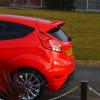
I am a brand new ford owner as of next Saturday. I bought my Ford Fiesta Zetec S ecoboost 1.0L last friday in race red and am so excited to get it.


Moving from a 1.3CDTI Corsa 04 plate.

Some images of what it will look like (courtesy of others)

63171_1.jpg

VE62_KTK-05.jpg

VE62_KTK-08.jpg

Getting the following inside it:

Privacy Windows
Ford Sync + Bluetooth
City Pack


Looks good hope you enjoy it

Hi welcome :)

Welcome to the club - Hope you love your new purchase!

  • Author

I just want it now! week to wait...

Bet you're itching to get your hands on it lol welcome to the club

Hi All,

I am a brand new ford owner as of next Saturday. I bought my Ford Fiesta Zetec S ecoboost 1.0L last friday in race red and am so excited to get it.

Moving from a 1.3CDTI Corsa 04 plate.

Some images of what it will look like (courtesy of others)

63171_1.jpg

VE62_KTK-05.jpg

VE62_KTK-08.jpg

Getting the following inside it:

Privacy Windows

Ford Sync + Bluetooth

City Pack

Welcome to the forum,

Only one more sleep before you pick up your new motor, the new body looks sweet and +10bhp red paint sets it off nicely

When you get a moment join photobucket and upload some images of your motor,

You can then edit to remove your reg plate etc.

Then copy the .img code from each image uploaded and paste it on to a post in the forum or many forums for the image to display.

You may also like to log on to DMB Graphics for some Gel badge overlays to fit over your existing blue ford badges or vintage ford decals:

http://www.dmb.uk.com/cat/22/ford-badges-gel-overlays

You may also like to browse my list guides all linked below this post, most of the guides are available in PDF format to download and print aswell as viewing online,

  • Author

Cheers for that fella I will check out the links,.

Unfortunately its a week to wait , wont get it until friday/saturday next week lol!

So is it just a gel overlay? Does not look wrong or horrible when its on? As mines red i'd probably want that red and black one.

Cheers for that fella I will check out the links,.

Unfortunately its a week to wait , wont get it until friday/saturday next week lol!

So is it just a gel overlay? Does not look wrong or horrible when its on? As mines red i'd probably want that red and black one.

They fit seemlessly over the existing badges,

You could start a new thread "what colour of DMB's on red fiesta"

Create a thread in the fiesta section and I'm sure red fiesta owners will post images of their personal choice fitted,

Red font on carbon background looks good in my opinion,

Latest Deals

Ford UK Shop for genuine Ford parts & accessories

Disclaimer: As the club is an eBay Partner, The club may be compensated if you make a purchase via the club

Join the conversation

You can post now and register later. If you have an account, sign in now to post with your account.

Guest
Reply to this topic...

The "Digestive"


Background Picker
Customize Layout

Account

Navigation

Search

Search

Configure browser push notifications

Chrome (Android)
  1. Tap the lock icon next to the address bar.
  2. Tap Permissions → Notifications.
  3. Adjust your preference.
Chrome (Desktop)
  1. Click the padlock icon in the address bar.
  2. Select Site settings.
  3. Find Notifications and adjust your preference.
