
Skip to content
View in the app

A better way to browse. Learn more.

Ford Owners Club - Ford Forums

A full-screen app on your home screen with push notifications, badges and more.

To install this app on iOS and iPadOS
  1. Tap the Share icon in Safari
  2. Scroll the menu and tap Add to Home Screen.
  3. Tap Add in the top-right corner.
To install this app on Android
  1. Tap the 3-dot menu (⋮) in the top-right corner of the browser.
  2. Tap Add to Home screen or Install app.
  3. Confirm by tapping Install.


Join the Independent Ford Owners' Club

Our community has been built by enthusiasts, for enthusiasts, and proudly run by Ford owners' for over 18 years. As an independent, non-official club, everything you’ll find here, advice, support, and opinions, comes directly from members with genuine Ford ownership experience.

Join our friendly community... it's Free!


Mk5 Mondeo Front Parking Sensors
Featured Replies

Hi All

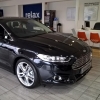
Just picked up my 65 plate Mondeo last night. Very impressed so far. Lovely to drive.

Living in London, it will prove difficult to manoeuvre in some of the tight streets near where I live. So I made sure I had front and rear parking sensors fitted.

The back ones work fine, as do the front ones when in reverse (if someone goes and waves in front of them). Going forward slowly, they don't work.

I would like to use the front ones when turning out of my drive into a tight road with parked traffic on both sides. Or, when forwarding into a parking space. I have read the manual on how the front ones work, but it seems confused with transmission type, and the instructions are unclear (my car is a manual).

Can anyone clarify for me whether/how the front sensors can be activated in such situations? I have tried flipping in and out of reverse, pressing the "P" switch by the hand brake etc... I am stumped on this one!!!!

Thanks

Rob

PS. And is it also really true that per the specs in the Ford catalogue, the width on the Mondeo is only 2.9cm wider (excl. mirror) than the Focus (my last car)? It seems MUCH wider, and I really dread trying to get it between narrow, high kerbs of multi-storey car parks - the visibility over the bonnet is not great! Those 19" alloys are going to get kerbed quite quickly I fear.


Hi and welcome.

As its a new car not many of us on here have much experience of the MK5 maybe a trip to the dealers would be a better bet, they should be able to explain, surprised they don't work though. 2.9 cm is about a foot in old money,

Let us know how you get on if there is no answer on here, that way you may help others in the future.

  • Author

Thanks Pete - appreciate your welcome and response

They may work similarly to Mk IV front sensors (if that was indeed an option).

The dealer didn't know either when I asked. Will continue digging around and will be sure to report back if I get an answer from somewhere other than FOC

Cheers

Rob

I discovered, nearly to my cost, that the front parking sensors only seemed to work when reverse has been selected, but I have now discovered that you can switch them on manually, on my MK3 focus using switch below the climate control. When reverse is selected the light in the switch comes on automatically, so you can see which one it is. NB, The light in the switch is quite dim.

  • Author

Interesting, thanks Jim

The light appears to always glow blue, and change to orange if pressed. Pressing (orange) I think turns them off, but perhaps not.... I will have a play this evening. I have not seen what the light does when selecting reverse, but haven't noticed any change.

When you turn it on, do you get the parking sensor map flash up on screen, or does that only appear if you turn on and subsequently close in on something?

Cheers

Rob

They may work similarly to Mk IV front sensors (if that was indeed an option).

On the Mk4 they work as follows:-

Engaging reverse turns them on. Pressing button toggles them on/off. Button is lit when on. They turn off automatically above 5mph(or thereabouts) and will not turn on above that speed..

  • Author

Great, thanks for your help.

So to confirm, there is no way to make the front sensors work when NOT in reverse?

Thanks

Rob

Yes, if they're off, then just press the button and they'will turn on(as long as you are going slowly enough)

  • Author

Just to update everyone - they do indeed work, and al the time! You just have to be pretty close and closing in on something before they go off (much closer than rear ones, and the display only comes up once you are almost going to hit). Testing them manually by waving doesn't seem to trigger them - I think you have to be going >0mph or something.

Its a leap of faith that they will go off when you are approaching something!

Thanks for everyones help

Rob

they do indeed work, and al the time!

That doesn't sound right, for them to be on all the time!. A colleague of mine had a problem with some 'dealer-fit' ( as opposed to factory fit ) sensors on a Passat. They were on all the time, it caused havoc when driving in the wet, spray from other vehicles was constantly setting off the front sensors!. The dealer ended up fitting a switch to turn them off. Are you sure yours don't switch off above a certain speed ?

  • Author

Yes you're right - above a certain speed. By "all time time" I meant that I do not have to engage a switch, or cycle through reverse etc... to get them to work. They are on, and ready to go, but will only bark if below Xmph

Ahh, that sounds better.

On my 2010 mk4 both front and rear sensors automatically switch on if you either 1) engage reverse or 2) push the switch on the dashboard (though they will only come on below 5mph). They automatically turn off once you go over 5mph (or if you push the switch on the dash again).... It is not possible to switch on just the rears or just the fronts.... It either all on or all off!!

Sent from my iPhone using Ford OC

Latest Deals

Ford UK Shop for genuine Ford parts & accessories

Disclaimer: As the club is an eBay Partner, The club may be compensated if you make a purchase via the club

Join the conversation

You can post now and register later. If you have an account, sign in now to post with your account.

Guest
Reply to this topic...

The "Digestive"


Background Picker
Customize Layout

Account

Navigation

Search

Search

Configure browser push notifications

Chrome (Android)
  1. Tap the lock icon next to the address bar.
  2. Tap Permissions → Notifications.
  3. Adjust your preference.
Chrome (Desktop)
  1. Click the padlock icon in the address bar.
  2. Select Site settings.
  3. Find Notifications and adjust your preference.
