
Skip to content
View in the app

A better way to browse. Learn more.

Ford Owners Club - Ford Forums

A full-screen app on your home screen with push notifications, badges and more.

To install this app on iOS and iPadOS
  1. Tap the Share icon in Safari
  2. Scroll the menu and tap Add to Home Screen.
  3. Tap Add in the top-right corner.
To install this app on Android
  1. Tap the 3-dot menu (⋮) in the top-right corner of the browser.
  2. Tap Add to Home screen or Install app.
  3. Confirm by tapping Install.


Join the Independent Ford Owners' Club

Our community has been built by enthusiasts, for enthusiasts, and proudly run by Ford owners' for over 18 years. As an independent, non-official club, everything you’ll find here, advice, support, and opinions, comes directly from members with genuine Ford ownership experience.

Join our friendly community... it's Free!


Mk3 reverse camera
Featured Replies

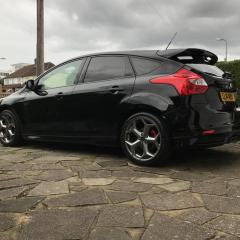
Hi all I'm after some advice. I have a 2014 pre facelift st3 to which have just retrofitted sat nav which works well but now I'm looking at retrofitting the oem reverse camera.

ive read loads of how to's but I'm unclear on one thing. How do I connect the oem loom from the boot to the back of the screen? The loom which I got new does not look like it reaches that far. Is there a loom hidden somewhere to bridge this gap?

I have all the oem bits ready but just unsure about this part of the loom.


  • Replies 82
  • Views 70.4k
  • Created
  • Last Reply

Top Posters In This Topic

Most Popular Posts

  • StephenFord
    StephenFord

    Gosh, what a palava! Thank goodness my aged 14 year old Focus comes standard with 2 x door mirrors as I'd be really snookered when reversing! 😀

  • [emoji1787][emoji1787][emoji1787] 1st world problems lol Sent from my iPad using Tapatalk

  • B...b...but, this thread is 3 pages long now. Who in this fast paced world has time to read all that! LOL 🤣

Posted Images

  • Author

Anyone?

Which wiring harness do you have?

the wiring for the original rear view camera is included in 2 or 3 different wiring harnesses. The harness that goes into the tailgate is available as a seperate part. The rest of the rear view camera wiring is part of the interior and dashboard wiring harness. If the rear view camera wiring is missing on those harnesses you either have to change the complete wiring harnesses or you have to make the wiring yourself.

  • Author

I have ordered the tailgate Loom 1788280  to go with the oem camera I brought. When I fitted the sat nav screen I didn't notice any extra plugs or anything but to be honest was wasn't really looking for any extra plugs.

  • Author

Any other ideas?

Part number 1788280 is only the tailgate wiring harness. This harness was installed on vehicles produced between 04-10-2012 and 22-04-2013. older and newer vehicles have a different wiring harness. 

Next to the tailgate wiring harness you also need the rest of the wiring which (if even present) is integrated into some of the other wiring harnesses. If this wiring is not present you either have to build it yourself or change the exisiting wiring harnesses for the correct versions whic include the rear view camera wiring.

  • Author

I have a pre facelift 2014 st3 and was told by someone who works for ford that this is the loom I need and as you said I need to see if the rest of the loom is in my car ( a pink plug taped up somewhere) apparently? I'm going to have a look for this over the weekend so fingers crossed I have the plug hidden away.

If it's a case of making my own loom I think I'll leave it as I would not have a clue.

alot easier to fit a non oem camera and russian module

  • Author

Yeah did think of that mate but trying to go down the oem route.

  • 5 months later...
  • Author

So I have the green plug in the dash loom which is for the reverse camera. This was taped up.

would the rear tail gate loom have the relivant plugs taped up or would I have to buy this loom with the camera plugs?

  • 2 months later...
  • Author

So I have brought all the loom but can't find the rear plug in the drivers side boot for the loom to plug into.

Does anyone know where it will be tapped/hidden up?

The green connector at the front does not necessarily mean that the wiring in the boot is also there. There is a pretty big chance that the dashboard wiring harness has the rear view camera wiring and all other wiring harnesses do not have the rear view camera wiring. 

  • Author

What's this plug for? Everything fits but there's no plug for the module I brought.

IMG_1295.JPG

Based on the picture your car does not have the rear view camera module wiring.

Very late Focus MK3 versions did no longer have a rear view camera module. These vehicles have a different FCDIM (display) which does not require a rear view camera module. These displays can be recognised by the 4-pole Rosenberger/Fakra HSD connector. On these vehicles the active parking lines are drawn onto the camera image by the BCM. The functionality of the rear view camera module is basically integrated into the BCM.

The very late 4.2 Inch and 5 Inch FCDIM that directly support a rear view camera usually have a part number that starts with EM5T- or F1BT-. These displays directly accept the camera image of any NTSC camera.


Unfortunately during the transition between the old system (with camera module) and the new system (withhout camera module) Ford mixed parts and wiring harnesses.

In this case your car seems to have (at least a part of) the newer type of wiring harness. This does not necessarily mean that all other parts (BCM, FCDIM, etc.) are also based on the new system. The newer system without a rear view camera module also has a different type of camera. The older rear view cameras are not compatible with the newer system.

  • Author

Dam! Oh well. Many thanks for the detailed response, really wanted to do this as I was told that that plug was for the camera?

is there a good after market one that I can wire to the oem camera itself so at least from the outside it looks oem?


IMG_1283.JPG

Stewart, in your first post you mentioned retro-fitting satnav.  What is involved exactly?

  • Author

I think I was pretty lucky as all I done was to find a donor car close to the age of my car and brought the bits i.e. Screen CD player part and surround and it was plug and play. I did have to buy an after market antenna but that was it.

I had the plugs taped up so used them.

  • Author

Can anyone recommend a good after market reverse camera? As close looking to oem on the screen.

Would like to use the oem camera itself if possible.

I suspect that the camera you have can be used.

However it fully depends on the type of FCDIM and BCM you have. What is the part number of your FCDIM and what type of camera connector does the FCDIM have? 

  • Author

Not sure about the screen number but it has the pink, blue, green and black plugs and is colour 5 inch screen.

the cd part is BM5T 18c815 xm but will be changing it to BM5T 18c815 zb as I want the sub fitted.

The older versions of the 5 Inch FCDIM have a 2-pole Fakra connector:

Afbeeldingsresultaat voor 5 inch FCDIM fakra camera
 
These displays require a rear view camera module.


The newer versions of the 5 Inch FCDIM have a 4-pole Rosenberger/Fakra HSD connector.

e372272s-960.jpg

These displays do no longer require a rear view camera module.


  • Author

Cheers mate for the response. I'll double check on Wednesday on my day off work to clarify 

  • Author

Jw1982 it turns out I have the newer FCDIM. So am I right in thinking I don't need the module and it's just a case of using focccus to activate it? I plugged in the new loom but nothing came up on the screen apart from the standard car with the distance lines.


IMG_1303.JPG

IMG_1304.JPG

You have the newer version of the 5 Inch FCDIM that does no longer require a rear view camera module. This seems to match with the wiring of the car that is also based on the later system without the module.

Right now there are 2 possible problems:

1: the rear view camera you have might not be suitible for the newer system without the rear view camera module.
2: The BCM of the car may not support the rear view camera functionality.


Both however can easily be checked by connecting the rear view camera you have and activating the rear view camera in the Central Car Configuration. Parameter #99 needs to be changed to "02 With Park Assist Camera".

After the rear view camera functionality has been activated the display will switch to camera mode when the reverse gear is selected or the PDC button is pressed. Right now there are also a few possibilities:

1: The camera image and active parking lines appear on the display (in this case you are really lucky).
2: The display remains black (which means that both the active parking lines and the camera are not working).
3: The camera image appears but the active parking lines are not working (which means that the BCM does not draw the parking lines on the camera image).

  • Author

This is the loom and camera I'm using.

IMG_1305.JPG

IMG_1306.JPG

Latest Deals

Ford UK Shop for genuine Ford parts & accessories

Disclaimer: As the club is an eBay Partner, The club may be compensated if you make a purchase via the club

Join the conversation

You can post now and register later. If you have an account, sign in now to post with your account.

Guest
Reply to this topic...

The "Digestive"


Background Picker
Customize Layout

Account

Navigation

Search

Search

Configure browser push notifications

Chrome (Android)
  1. Tap the lock icon next to the address bar.
  2. Tap Permissions → Notifications.
  3. Adjust your preference.
Chrome (Desktop)
  1. Click the padlock icon in the address bar.
  2. Select Site settings.
  3. Find Notifications and adjust your preference.
