
Skip to content
View in the app

A better way to browse. Learn more.

Ford Owners Club - Ford Forums

A full-screen app on your home screen with push notifications, badges and more.

To install this app on iOS and iPadOS
  1. Tap the Share icon in Safari
  2. Scroll the menu and tap Add to Home Screen.
  3. Tap Add in the top-right corner.
To install this app on Android
  1. Tap the 3-dot menu (⋮) in the top-right corner of the browser.
  2. Tap Add to Home screen or Install app.
  3. Confirm by tapping Install.


Join the Independent Ford Owners' Club

Our community has been built by enthusiasts, for enthusiasts, and proudly run by Ford owners' for over 18 years. As an independent, non-official club, everything you’ll find here, advice, support, and opinions, comes directly from members with genuine Ford ownership experience.

Join our friendly community... it's Free!


Ford Focus ST '22 Battery Drain!
Featured Replies

  • Author

Can confirm what @alexp999 mentioned - engine off, then seatbelt, then open door. This enables the handbrake to auto-apply. Cheers mate.

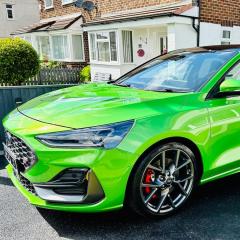
Finally got the car back again. Once again Merseyside Car Hospital have done a fantastic job. 2 two doors, all new hinges and rubber seals. She is looking amazing. 

@Andy-B I'll drop you my phone number if that's ok? I'd like to give you some sound advice as what M53 need to do, and what you are best saying to them. I've since lodged a formal complaint with Ford about them (which I've never done before). 


IMG_1048.jpeg

IMG_1071.jpeg


  • Replies 372
  • Views 111.9k
  • Created
  • Last Reply

Top Posters In This Topic

Most Popular Posts

  • Not having much luck am I?! Hire Van pulled over to park and got a little too close. Logged it with Enterprise, and now the fun begins. 

  • Don't be disappointed, 12.6V is the correct level that you should expect. The cars Smart charging system will aim to keep the charge level at 80% unless the SOC has been otherwise adjusted. The batter

  • 14.8 is the charging voltage. A brand new 100% charged 12V battery would never actually read over 12.7-12.8V once it’s settled. 12.6 is absolutely fine. I’d only worry if it dropped below 12. 

Posted Images

  • Author

Random one, but does anyone know the exact ForScan setting to restore the splash screen on the instrument cluster? (I don't mean the animation on the big screen, I mean the one on the screen behind the steering wheel). 

It used to show a ST style animation when powering down the car, but hasn't since the thing got reset months ago - Wondering if anyone knows how I can turn it back on again? 

Already took a look on ForScan and can find the animation option to change the big screen animation, but none for the cluster. Any help would be appreciated (If I need to repost this somewhere else please don't hesitate to tell me off) 

22 minutes ago, LukeJQuinn said:

Already took a look on ForScan and can find the animation option to change the big screen animation, but none for the cluster.

Nice to see your car back and looking like new 😀

I can't really help you out on the instrument cluster animation on your Mk4.5 as I've not had a chance to play about with one. You are checking in the IPCM settings ?

You could always save the existing instrument cluster settings using FORScan  (just encase) and then use FORScan to download the 'AsBuilt' file from Ford and that should restore it back to the way the IPC was when it left the factory.

  • Author

Rage alert. The issue occurred again yesterday (battery not another bump) 

Used the car around 09:00, got home around 11:30. Went out to the car around 17:30 and everything was dead. This is the first time this has occurred since I assumed it was sorted. I did a ranty email to Ford Customer care then recalled it - I wanted to rule as much out before digging the email out of my drafts and hitting send. Let me explain.

I've recharged the battery to full, reset the BMS via ForScan, disabled all auto-update features and remote features via Sync 4 (as I feel this is something to do with it). I'm going to give it a few days and see how things go. Very odd this has happened out of no where when for over 2 months its been working fine, and the only change was me upping the SOC from 80% to 95% (wasn't sure if I should set it to 100%) However, another issue is stopping me flagging it to Ford for now....

Separate issue but could be related - I noticed on Thursday both my right hand side windows won't go down (same side that got hit, and doors replaced) Took the car back on Friday and they discovered some control box in the drivers door is to blame and they've ordered a new one. Now it could have been dropped or installed correctly, as the left hand side is fine. The same controller box also does the blind spot stuff too. They did have a 2019 Focus on site and took the box out of that, it got the windows working but the box didn't have the module for blind spot, so it ruled in the box being the issue as the windows worked, but the blind stop didn't and alerted on the dash. They've ordered a new box and it will be getting fitted this Thursday coming. Now I don't know 100% whether this controller box could have tripped the BMS and made the car forget its charged state.  I can't kick off at Ford just yet until this box is replaced, and everything is working again. One final thing, it has been chucking up error regarding the windows (of course) in the past couple of days and then it made two click noises on Sunday and the battery light flashed then disappeared, so this does lead me to think if this box has gone faulty (which is definitely has for some reason or another) then it could be the cause. Of course, I want this resolving before flagging it to Ford for obvious reasons. I didn't ask the guys what the box was called but it was in the door card and sits next to the handle, has a big old chunky cable going into it and another smaller cable going to the door mirror (for blind spot I imagine) The reason it took me so long to notice the windows, was simply I never use them - the climate control is really good, or I have the roof open, plus I never use drive-thrus as food is not allowed inside the car for any reason 🙂 

Any suggestions on this would be appreciated - as I feel it could be related but if I am barking up the wrong tree please tell me so I can go full Karen at Ford.

Just one note. You need to stop resetting the BMS (I assume that’s what you meant instead of BCM). All it does is set the battery age to 0 and it should only be used to indicate a new battery. If your battery is going flat if anything it is aging faster. Disconnecting the battery will reset all BMS parameters other than the age if you feel you want to do that. But if you are charging in situ the BMS is active and monitoring the incoming charge if you use the grounding point. It also quickly reestablishes itself after a days use anyway. 
 

People need to stop thinking of the BMS reset as a way to fix things. It’s only ever for a brand new battery as the car adapts its charging profile for age. A disconnect is enough to reset/reboot it without affecting the stored battery age. 

Does upping the SOC have repercussions when trying to claim under warranty from Ford? 

4 minutes ago, tomo2001 said:

Does upping the SOC have repercussions when trying to claim under warranty from Ford? 

Incredibly unlikely, but not I suppose impossible. It would be a really long stretch to notice it and to link it to something.

But the arguement would be that you're operating parts on the car outside their originally intended parameters. I can't think what it would invalidate, alternator maybe, the battery is not covered by the warranty anyway.

I wouldn't worry personally, but at the same time as I said in another thread I'm not convinced it makes much difference.

2 hours ago, alexp999 said:

People need to stop thinking of the BMS reset as a way to fix things. It’s only ever for a brand new battery as the car adapts its charging profile for age.

Yes it is disappointing that so many reset the BMS especially "because it fixes the Stop/Start"  I don't think it will be too long before Ford remove the BMS reset procedure for your average user and go down the route of coded batteries and the need for it to be done via a programme like FORScan.

7 minutes ago, unofix said:

Yes it is disappointing that so many reset the BMS especially "because it fixes the Stop/Start"  I don't think it will be too long before Ford remove the BMS reset procedure for your average user and go down the route of coded batteries and the need for it to be done via a programme like FORScan.

Same as the oil life reset.

  • Author

Any feedback on wether it could be relating to a software issue? Spoke to Andy with the White 4.5 ST and his flagged up the same battery low warning message this morning to him (otherwise its been fine) So both of ours have flagged this up in the space of 12 hours of each other - that has to be related surely. 

With regards to resetting the BMS - 3 Ford dealers have told me to reset it after charging the battery up, including Ford Customer Care, so while I accept your feedback - I will do it to appease them, as if it helps prove a genuine issue with the 4.5 with Sync 4 then I'm happy to do it. 

It’s almost certainly a software issue. Just which module is not sleeping is the difficulty. It was the TCU on early mk4s. Hopefully it doesn’t take long to get to the bottom of it on the facelift, but the fact it has to stay awake to download updates over cellular won’t help things. 

  • Author

I am asking for names, and model details - will be sending a full list to Ford Europe asking them to look into this global issue surrounding this model of car.

Please can all affected owners take a look? 

  • Author

Took another look at ForScan and noticed this.

image.thumb.png.c67fbf216d1133deb8df3761da85d509.png

Battery Type Factory Value was set for both Factory and Type Normal. I've changed the Type Normal to the spec installed in the car. Changed both of these options to the correct spec (60Ah) Not too sure this will have any impact but thought being - if the car thinks the battery is smaller than what is installed, it will never attempt to charge it up as it would assume it does not have the capacity to go higher than the originally assumed 43Ah. 

Forscan battery value descriptions are frequently wrong.

I really wouldn't change them unless to a value you know works for your calibration (firmware) and matches the battery capacity.

The bit value is much more important than the description. Forscan just has a lookup table that is often wrong, and I know is wrong for my car. It labelled both my factory battery size and my new bigger battey size as unknown.

You're better using the factory asbuilt value than setting it wrong, or you could be making things worse.

1 hour ago, LukeJQuinn said:

Took another look at ForScan and noticed this.

image.thumb.png.c67fbf216d1133deb8df3761da85d509.png

Battery Type Factory Value was set for both Factory and Type Normal. I've changed the Type Normal to the spec installed in the car. Changed both of these options to the correct spec (60Ah) Not too sure this will have any impact but thought being - if the car thinks the battery is smaller than what is installed, it will never attempt to charge it up as it would assume it does not have the capacity to go higher than the originally assumed 43Ah. 

This issue was raised on here a while ago. I know I changed mine to what the battery actually is and it didn't make a blind bit of difference at all.

  • Author

So far so good. Power has remained overnight, battery is still fully charged and stop/start kicked in after driving 500 yards. 

I know I mention Stop/Start a lot, but don't actually care about it - I just know its the first thing that won't work if the power in the battery has dropped below the operating standard of the car. But the fact this has kicked in after the car not being used for over 13 hours is telling and new. 

Will wait another week, and then change those battery settings back to see what if any difference it makes. Then week after I'll turn on the Connected Features again which will rule in / rule out the 4G connectivity being the root cause. 

When you change the battery parameters it it the same as a BMS reset, so stop start will often work until it reestablishes the SoC as it thinks it's a fresh battery.

  • Author

Things are all still good. 4G stuff totally off and SOC set to 100%. Can even leave my dash cams plugged in and no drain at all.

The only other thing that is further making me believe its the 4G connection on the car draining the battery, is the emails I get from Vodafone every week about a plan expiring, then renewing - all this without me doing anything. I cancelled the plan months ago yet for some reason the car and Vodafone think it’s renewing some plan.
 
image.thumb.png.11d4e22042b87cf8f05ba298d5bc4f48.png
These are just some emails I get without ever logging into Vodafone and with the remote features switched off. I strongly think this 4G connection thing is the cause the battery drain. They are just some of the emails, I've deleted a lot of them ignoring them. 
 
Flagged this to Ford as I reckon its this 99% sure of it. Just gone into the portal and totally deleted the car.
image.thumb.png.1f3669957ebd9029ddc68d5da8d3fc49.png
 
image.thumb.png.3321dbc06c429c0a7e64fe7be364bc5a.png
The plan renewal matches up the email I got today. If this is stuck in some loop then that most certainly cannot help the car having to renew plans all the time while it's powered off. 
  • Author

Car still working as it should be. Remote features are still switched off, and SOC remains at 100%. 

Now I'm not too sure if setting the SOC to 100% is 'fixing' (masking) the issue while a underlining issue is still occurring. But its working normally, better than it ever has as far as I can tell anyway. Only downside to my 'fix' is the app is now redundant and the car won't get any updates - these are both something I can live without, but annoying as the car was sold with those features so it would be nice if they would work along side allowing the car to function normally.  

I know @Andy-B is having pretty much the same issue, only now with a headlight levelling issue also. The Ford garage have confirmed there is an issue and it sounds darn close to my issue. Andy will be able to update with more detail.  

I still strongly think that the battery fitted to those models simply isn't big enough (big in capacity) for the tech on the car. My mums 1.0 EcoBoost has a bigger Ah battery for example. 

43 minutes ago, LukeJQuinn said:

Car still working as it should be. Remote features are still switched off, and SOC remains at 100%. 

Now I'm not too sure if setting the SOC to 100% is 'fixing' (masking) the issue while a underlining issue is still occurring. But its working normally, better than it ever has as far as I can tell anyway. Only downside to my 'fix' is the app is now redundant and the car won't get any updates - these are both something I can live without, but annoying as the car was sold with those features so it would be nice if they would work along side allowing the car to function normally.  

I know @Andy-B is having pretty much the same issue, only now with a headlight levelling issue also. The Ford garage have confirmed there is an issue and it sounds darn close to my issue. Andy will be able to update with more detail.  

I still strongly think that the battery fitted to those models simply isn't big enough (big in capacity) for the tech on the car. My mums 1.0 EcoBoost has a bigger Ah battery for example. 

I upgraded my ST to an 096. It's what they fit to the diesels and MHEVs.

  • Author
1 minute ago, alexp999 said:

I upgraded my ST to an 096. It's what they fit to the diesels and MHEVs.

Not a bad shout, so my Focus and Andy's has a EFB 100 65 Ah / 650 but the Fiesta (petrol) has the same 096 - 75 Ah / 700 as the one you bought I imagine. 

4 minutes ago, LukeJQuinn said:

Not a bad shout, so my Focus and Andy's has a EFB 100 65 Ah / 650 but the Fiesta (petrol) has the same 096 - 75 Ah / 700 as the one you bought I imagine. 

I stuck a Yuasa in mine. YBX7096.

  • 4 weeks later...
  • Author

Since posting this, I decided to rejoin Facebook after 10 years and joined an array of Focus Mk 4 & Mk 4.5 groups. I've made contact with over 10 owners of Mk 4.5 owners and I've found some interesting results. I also ran the car for over 1 month with ALL connectivity features turned off. During this period the car performed perfectly without a sniff of anything not working (as in power was remained verified by testing the battery each week, lights remaining on and the infamous stop/start working on every journey) 

I'll post screenshots of the emails sent to Ford regarding the test above and the results I found after speaking to the 10 owners. Coming back to those results - it would appear the Sync 4 version is the issue causing battery drain. All owners reporting battery drain issues are running on Sync 4 - 21333 / Revision 284. The newer owners of the 4.5 are running 22130 / Revision 437. The Sync version also updates other modules on the car and the owners of the newer vehicles haven't reported any issues with battery drain issues nor flagged any issues to Ford. Some have also tested the current charge of batteries and all report correct or exceed the charge. Some owners including the one in the screenshot have only covered a small amount of miles, yet theirs is performing as normal and they are running the latest versions. Two other owners had theirs 2 weeks and covered double the milage and are reporting drain issues, again running the older version. 

 I am currently in discussion with Ford Customer Care to organise my vehicle being upgraded to the latest version of Sync 4 (the latest version is only available via Ford Dealers and hasn't been released via the normal update channels. All newly built vehicles come with the latest update as expected. 

II'll keep you all posted as to the results but this is the strongest evidence to date I've managed to uncover and Ford are also in agreement that this could well be the resolution we've longed for. I've spent endless hours covering this and I think I've finally solved it, and got Ford on side in the process. 

Screenshot 2023-05-16 at 17.12.46.png

Screenshot 2023-05-18 at 20.50.12.png

On 5/18/2023 at 9:03 PM, LukeJQuinn said:

All owners reporting battery drain issues are running on Sync 4 - 21333 / Revision 284. The newer owners of the 4.5 are running 22130 / Revision 437. The Sync version also updates other modules on the car and the owners of the newer vehicles haven't reported any issues with battery drain issues nor flagged any issues to Ford. Some have also tested the current charge of batteries and all report correct or exceed the charge. Some owners including the one in the screenshot have only covered a small amount of miles, yet theirs is performing as normal and they are running the latest versions. Two other owners had theirs 2 weeks and covered double the milage and are reporting drain issues, again running the older version. 

Screenshot 2023-05-16 at 17.12.46.png

Screenshot 2023-05-18 at 20.50.12.png

My Focus ST 4.5 has just been built and apparently has Sync 4 version 22266 installed according to the Ford Sync update site. So hopefully this has fixed any battery drain faults.

  • 2 months later...
  • Author

Hopefully my final update for this post.

It would appear some weeks back Ford pushed a OTA update to the MK4.5 which has fixed the battery drain issue. Another guy on here contacted me 2 months ago on a Monday saying his died on the previous Sunday night, but after a good run it's charged up and has been fine since. Ironically, so has mine! 

So theory being, they've pushed an update out on the quiet and the car has used a lot of battery juice to install it. After a good run, its charged itself back up and wallah! Very odd both cars died on the same evening/morning then now are both running fine, and neither had been near a dealership within weeks of it occurring. 

To confirm, nothing has been done to either cars but both are still to this day running as expected and Ford have gone very quiet over the matter - which only raises my suspicions further. The only thing connecting these two cars was the internet, so 99% it was a quiet update.

Sync 4 version both show the same version too (not changed from before the quiet update) However any update to modules on the car won't always change the sync 4 version, so again plausible.

So all in all, everything is back to normal and cars running fine - Newer owners haven't suffered with this issue but their cars show newer module versions and Sync4 versions. 

Thanks for all the help and advice, and I'm glad after 1 year Ford have finally fixed it. 

Latest Deals

Ford UK Shop for genuine Ford parts & accessories

Disclaimer: As the club is an eBay Partner, The club may be compensated if you make a purchase via the club

Join the conversation

You can post now and register later. If you have an account, sign in now to post with your account.

Guest
Reply to this topic...

The "Digestive"


Background Picker
Customize Layout

Account

Navigation

Search

Search

Configure browser push notifications

Chrome (Android)
  1. Tap the lock icon next to the address bar.
  2. Tap Permissions → Notifications.
  3. Adjust your preference.
Chrome (Desktop)
  1. Click the padlock icon in the address bar.
  2. Select Site settings.
  3. Find Notifications and adjust your preference.
