Skip to content
View in the app

A better way to browse. Learn more.

Ford Owners Club - Ford Forums

A full-screen app on your home screen with push notifications, badges and more.

To install this app on iOS and iPadOS
  1. Tap the Share icon in Safari
  2. Scroll the menu and tap Add to Home Screen.
  3. Tap Add in the top-right corner.
To install this app on Android
  1. Tap the 3-dot menu (⋮) in the top-right corner of the browser.
  2. Tap Add to Home screen or Install app.
  3. Confirm by tapping Install.


General Ford Related Discussions

    • 0 replies
    • 551 views
    Nathanfielding
    Nathanfielding
    • 7 replies
    • 1.5k views
    Greavesy
    Greavesy
    • 0 replies
    • 543 views
    Stevieb85
    Stevieb85
    • 0 replies
    • 439 views
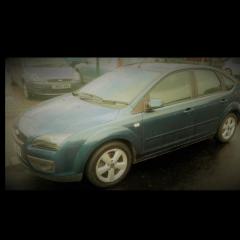
    focus 2006 saloon
    focus 2006 saloon
    • 4 replies
    • 1k views
    ChrisMcK
    ChrisMcK
    • 0 replies
    • 503 views
    GeorgeDimi
    GeorgeDimi
    • 0 replies
    • 2k views
    Jordan1982
    Jordan1982
    • 0 replies
    • 556 views
    Mark 1
    Mark 1
    • 1 reply
    • 4.1k views
    ForTim
    ForTim
    • 0 replies
    • 618 views
    paulvee
    paulvee
    • 1 reply
    • 907 views
    Stoney871
    Stoney871
    • 0 replies
    • 666 views
    Malky Sama
    Malky Sama
    • 0 replies
    • 651 views
    mustang86
    mustang86
    • 0 replies
    • 479 views
    Greg Ramsey
    Greg Ramsey
    • 3 replies
    • 1.3k views
    Micro
    Micro
    • 0 replies
    • 583 views
    St24v6
    St24v6
    • 3 replies
    • 1k views
    Fozzie1954
    Fozzie1954
    • 3 replies
    • 3.9k views
    Tdci-Peter
    Tdci-Peter
    • 0 replies
    • 732 views
    Rlspurs40
    Rlspurs40
    • 0 replies
    • 591 views
    Freddy42
    Freddy42
    • 21 replies
    • 16.1k views
    Jethro_Tull
    Jethro_Tull
    • 0 replies
    • 1.4k views
    Discolights
    Discolights
    • 0 replies
    • 703 views
    Jacko71
    Jacko71
    • 4 replies
    • 924 views
    Pete Lunn
    Pete Lunn
    • 3 replies
    • 1.6k views
    Tdci-Peter
    Tdci-Peter
  1. Alan Drinkwater,
    • 4 replies
    • 1.3k views
    Oldschool
    Oldschool
    • 0 replies
    • 620 views
    Ccbruce
    Ccbruce
    • 2 replies
    • 2.1k views
    kevin lancelott
    kevin lancelott
    • 1 reply
    • 750 views
    alexp999
    alexp999
    • 5 replies
    • 1.1k views
    LHensh
    LHensh


Background Picker
Customize Layout

Account

Navigation

Search

Search

Configure browser push notifications

Chrome (Android)
  1. Tap the lock icon next to the address bar.
  2. Tap Permissions → Notifications.
  3. Adjust your preference.
Chrome (Desktop)
  1. Click the padlock icon in the address bar.
  2. Select Site settings.
  3. Find Notifications and adjust your preference.