
Skip to content
View in the app

A better way to browse. Learn more.

Ford Owners Club - Ford Forums

A full-screen app on your home screen with push notifications, badges and more.

To install this app on iOS and iPadOS
  1. Tap the Share icon in Safari
  2. Scroll the menu and tap Add to Home Screen.
  3. Tap Add in the top-right corner.
To install this app on Android
  1. Tap the 3-dot menu (⋮) in the top-right corner of the browser.
  2. Tap Add to Home screen or Install app.
  3. Confirm by tapping Install.


Join the Independent Ford Owners' Club

Our community has been built by enthusiasts, for enthusiasts, and proudly run by Ford owners' for over 18 years. As an independent, non-official club, everything you’ll find here, advice, support, and opinions, comes directly from members with genuine Ford ownership experience.

Join our friendly community... it's Free!


Mk 2.5 Focus Overboosting without limp mode
Featured Replies

Hey,

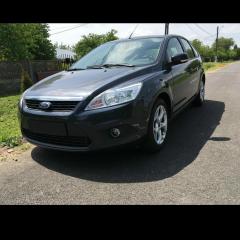
I am having a "problem" with my Mk 2.5, EURO 5, Focus 1.6 TDCi 110HP (72k miles). After driving for long time (like an hour or more) at motorway speeds, the check engine light comes on and i get the P0234 Turbo Overboost error. The strange thing is that the car drives absolutely fine when the error occurs. No limp mode, no loss of power. There is no way to know the car is having the error without looking at the dashboard to see the check engine light. I tried to reset the error code, but it keeps reappearing in the above scenario. Tried going full throttle from 1st gear to 3rd changing gears at ~4000rpm and the problem did not occur. It seems to me like it only happens at higher gears/higher speeds. 

I have to mention I got the EGR mapped out at a local tunner, but I am thinking that the EGR was closed anyway at those speeds, so I doubt this could be the cause. I also have to mention that my DPF Differential Pressure is about 13 kPa ~80mph at full throttle and 0.6-0.9 kPa at idle, which seems a little bit high to me, but no errors logged yet about DPF. I was considering the clogged DPF causing too much pressure hence, the overboosting. Are those values indeed high or am I wrong? Is there any risk driving the car with the overboost code as long as limp mode doesn't occur? Any ideea that can help me diagnose my problem? Thank you!

  • 2 weeks later...


  • Author

I checked the MAP sensor reading in order to see the boost pressure. It reads 21.6 psi at full acceleration and 1 - 1.2 psi at idle. What's strange is that even when the engine is off i still get 0.3 psi of boost, which is obviously not true, but the ECU seems ok with that 0.3 psi error as it didn't set a MAP error code. I read on the internet that the sensor can read a maximum of 250 kPa. Mine is 148.8 kPa boost + 101.2 kPa atmospheric pressure which is exactly 250 kPa, so I guess it reached the MAP sensor's maximum reading and it may boost even higher. How high should the turbo boost? Found some articles that said they should boost to 1.4 bar (20.3 psi) maximum. Could it be a faulty MAP sensor as the car drives perfectly fine when the overboost code is set? It also seems to me that there might be a leak visible in the photos below. Could that leak cause overboost? Thank you.

20171017_103811976_iOS.thumb.jpg.66b062301c7d754ebb74547213c94970.jpg20171017_103808712_iOS.thumb.jpg.dece1b1f96faa297a6d073a87d2c5256.jpg


  • 1 year later...

EXACTLY the problem I'm having.

NO limp mode on overboost condition.

have you been able to sort this out?

Latest Deals

Ford UK Shop for genuine Ford parts & accessories

Disclaimer: As the club is an eBay Partner, The club may be compensated if you make a purchase via the club

Join the conversation

You can post now and register later. If you have an account, sign in now to post with your account.

Guest
Reply to this topic...

The "Digestive"


Background Picker
Customize Layout

Account

Navigation

Search

Search

Configure browser push notifications

Chrome (Android)
  1. Tap the lock icon next to the address bar.
  2. Tap Permissions → Notifications.
  3. Adjust your preference.
Chrome (Desktop)
  1. Click the padlock icon in the address bar.
  2. Select Site settings.
  3. Find Notifications and adjust your preference.
