


Ford Fiesta Club
Subforums
-
Ford How-To Guides Tips, Tricks and share info on how to repair or modify your Ford!
Have something to share then why not add it to our guides section!- 1.7k posts

35,346 topics in this forum
-

- 37 replies
- 20.5k views
 Neb_engineer
 -

- 1 reply
- 776 views
 shabazmo
 -

- 24 replies
- 55.7k views
 Pasputin
 -

- 2 replies
- 793 views
Mummyw -

- 6 replies
- 1k views
 isetta
 -

- 0 replies
- 539 views
Mk7_fez -

- 1 reply
- 2k views
 MWST92
 -

- 1 reply
- 2.6k views
 Gaz1000SX
 -

- 8 replies
- 3.2k views
paulmslattery -

- 0 replies
- 1.2k views
Luke kidd -

- 1 reply
- 953 views
 Cragrat
 -

- 8 replies
- 33.6k views
 Stoney871
 -

- 1 reply
- 1.4k views
 Luke4efc
 -

- 3 replies
- 1.6k views
 iantt
iantt -

- 0 replies
- 435 views
rusststone1 -

- 22 replies
- 13.2k views
 Eric Bloodaxe
 -

- 4 replies
- 3.2k views
 TomsFocus
 -

- 6 replies
- 8.2k views
 Mokey
Mokey -

- 66 replies
- 32.9k views
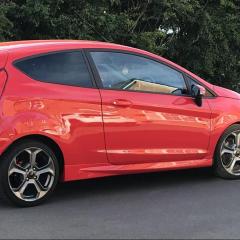 Milano Red
 -

- 3 replies
- 2.1k views
 Tiexen
 -
- 13 replies
- 5.8k views
Neb_engineer -

- 3 replies
- 4k views
 st line x 140 driver
 -

- 4 replies
- 5.1k views
HC_123 -

- 3 replies
- 4.2k views
Neb_engineer -

- 6 replies
- 2.5k views
 dtulip8
 -

- 15 replies
- 32.8k views
st line x 140 driver -

- 0 replies
- 465 views
Srk09 -

- 8 replies
- 10.3k views
MonkeyMiles -

- 21 replies
- 9.4k views
Bobr -

- 3 replies
- 13.2k views
iantt


