
Skip to content
View in the app

A better way to browse. Learn more.

Ford Owners Club - Ford Forums

A full-screen app on your home screen with push notifications, badges and more.

To install this app on iOS and iPadOS
  1. Tap the Share icon in Safari
  2. Scroll the menu and tap Add to Home Screen.
  3. Tap Add in the top-right corner.
To install this app on Android
  1. Tap the 3-dot menu (⋮) in the top-right corner of the browser.
  2. Tap Add to Home screen or Install app.
  3. Confirm by tapping Install.


Join the Independent Ford Owners' Club

Our community has been built by enthusiasts, for enthusiasts, and proudly run by Ford owners' for over 18 years. As an independent, non-official club, everything you’ll find here, advice, support, and opinions, comes directly from members with genuine Ford ownership experience.

Join our friendly community... it's Free!


Auto Headlights Faulty Already?
Featured Replies

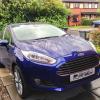
Hey all. So, I've had my Fiesta just over a week. Is it just me or should the auto headlights not actually be on in this situation? But there they are! Full headlights in decent daylight.

And the photo makes it appear there's more shadow than there actually was.

post-53284-14015645032_thumb.jpg

Sent from my iPhone using Ford OC


It's based on how much light the sensir register visually your eyes may see more light than what's hitting the sensor fron the photo you seem to be driving away from the sun that will be enough to create a dark spot. I do also think autolights come on a bit premature on fords but it isn't broken

Sent from my GT-I9300 using Ford OC mobile app

  • Author

That was where I could pull in. They came on in maybe a slightly darker patch (shadows from roadside trees) but stayed on with full sun hitting the front of the car. Looked stupid with headlights on in that light. I had a Mazda 323F that had this feature and there had to be a definite drop in light level before they came on.

If they're going to keep coming on in such bright light I think I'll go back to manual lighting because that was just ridiculous.

Sent from my iPad using Ford OC

They stay on for a bit depending on lighting but every now and then again they may stay on far more longer than you'll expect. I too have experience auto lights on other cars that react for more swiftly and fords stay on excessively it's just the way it is. flicking the lights to off then back to auto will sort it if light levels aren't too low.

Sent from my GT-I9300 using Ford OC mobile app

Looked stupid with headlights on in that light.

nothing wrong with driving with your headlights on... Volvo have been doing this for years.

my mums focus has auto lights and seem to work as they should... although i have noticed that they switch to sidelights for a while before switching off. iv notices this in several occasions whilst driving through the tunnels on the Leeds inner ring road and then coming up the slip road from under the car park to the traffic lights at the top where the old Halifax bank HQ (i think) was.

  • 1 month later...

Just driven to work in full daylight and parked in front of the sun and they won't go off, how much light do they need? My 58 titanium wasn't this bad, they came on after the street lights!

Sent from my iPhone using Ford OC

post-12245-140540470828_thumb.jpg

DRL's ? Pretty sure they are standard on the Titanium now.

Mines are a bit slow but not to bothered ;)

They all do it and ours did, however when it went in for a first service I mentioned it and now it seems much better. I am sure that they can turn down the sensitivity...

I think they react to the angle of the light as well as the amount. In both photos above it looks like the sun is low so the lights should be on, but I'm not 100% on this. On newer cars auto wipers can also activate the headlights but that's obviously not the issue here.

Auto lights shouldn't come on after street lights, that's much too dark.

I think they react to the level of the sun light as well as the brightness, sometimes it is difficult to see cars when the sun is low in the sky, but it is much easier to see them if the lights are on.

I'd rather have them come on early and be seen by others.

I agree with Phil. The amount of visible light by the human eye may not be the same as actual measured amount of light available

Sent from my GT-N7105 using Ford OC mobile app

  • Author

Thing is, re the part about "being seen by others" the LED DRLs are damn bright on these things so I can't figure out why the headlights would make that much difference to visibility. In fact I find the DRLs are easier to see in the light levels that I had in the photo in my first post.

And it can't be so that all lights are on so I can be seen from the rear. Everyone travels that close these days, if they can't see me at that distance it's Specsavers they need not my tail lights :) :)

Sent from my iPad using Ford OC

You do realise the DRL's dim when the headlamps are on?

You do realise the DRL's dim when the headlamps are on?

They don't on my car, I don't know if there's some situation where this would happen though, or maybe that's the case for other cars.

As chris says, they should dim.

I'll check again when I get a chance, or when there's a shiny car in front to give me a reflection. Can anyone else with an ST or other car with DRLs confirm this? I remember when I went for a drive with Philf1, his DRLs stayed on too when his headlights were on (he also has an ST).

You DRLs will be on all the time the ignition key is turned and will dim when your headlights or indicators are on.

20140130_184812_zps5od6vf6n.jpg

Ah sorry I misunderstood, I thought you meant the DRLs turn off when the headlights come on, you're right they do look dimmer than normal with the lights on.

Latest Deals

Ford UK Shop for genuine Ford parts & accessories

Disclaimer: As the club is an eBay Partner, The club may be compensated if you make a purchase via the club

Join the conversation

You can post now and register later. If you have an account, sign in now to post with your account.

Guest
Reply to this topic...

The "Digestive"


Background Picker
Customize Layout

Account

Navigation

Search

Search

Configure browser push notifications

Chrome (Android)
  1. Tap the lock icon next to the address bar.
  2. Tap Permissions → Notifications.
  3. Adjust your preference.
Chrome (Desktop)
  1. Click the padlock icon in the address bar.
  2. Select Site settings.
  3. Find Notifications and adjust your preference.
