
Skip to content
View in the app

A better way to browse. Learn more.

Ford Owners Club - Ford Forums

A full-screen app on your home screen with push notifications, badges and more.

To install this app on iOS and iPadOS
  1. Tap the Share icon in Safari
  2. Scroll the menu and tap Add to Home Screen.
  3. Tap Add in the top-right corner.
To install this app on Android
  1. Tap the 3-dot menu (⋮) in the top-right corner of the browser.
  2. Tap Add to Home screen or Install app.
  3. Confirm by tapping Install.


Join the Independent Ford Owners' Club

Our community has been built by enthusiasts, for enthusiasts, and proudly run by Ford owners' for over 18 years. As an independent, non-official club, everything you’ll find here, advice, support, and opinions, comes directly from members with genuine Ford ownership experience.

Join our friendly community... it's Free!


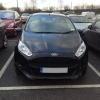
Zetec S Ecoboost 1.0
Featured Replies

i have the standard sat nav and it works very well.. can't see the sony being much better tbh


  • Replies 1.2k
  • Views 438.6k
  • Created
  • Last Reply

Top Posters In This Topic

Most Popular Posts

Posted Images

Hi all nice to see you lads have got to your 1000th reply well done.

£500 seems quite pricey considering aftermarket Satnavs are really cheap these days

Oh, I agree. I'm looking for nearly new, but can't find any with the spec, mileage and price I want apart from ones with SatNav.

Exactly why i got yellow!

Everybody is getting soooooo boring with their black, white and grey......

Booooooooooooooooo ;)

anyone planing on doing any mods I thinking about doing something to make it stand out just that little bit more?

Sent from my iPhone using Ford OC

Booooooooooooooooo ;)

That comment is gonna keep biting me in the !Removed! :P

Get your grille sorted Leroy ;)

Get your grille sorted Leroy ;)

Nope! maybe after a year or so..just to change things up ;)

Got my zetec s Saturday aswellpost-51839-139388004991_thumb.jpgpost-51839-139388009053_thumb.jpgpost-51839-139388010752_thumb.jpg :)

Sent from my iPhone using Ford OC

I got 1.6 though

Sent from my iPhone using Ford OC

Looks nice with Black alloys

I scraped the rim though in the first day some !Removed! cut me up so it was clip the kurb or rite the car off lol need a new tyre and a refurb :(

Sent from my iPhone using Ford OC

I guess that's a downside to having painted alloys

Gonna get a respray but need some1 to photoshop for me :)

Sent from my iPhone using Ford OC

post-51839-139388115043_thumb.jpgpost-51839-139388117174_thumb.jpg orange or green with white wheels :)

Sent from my iPhone using Ford OC

I'm 18 one year no claims and I paying 560 for the year on the 125bhp! so amazing compare to £1500 for my fiesta 06 1.2

Sent from my iPhone using Ford OC

Got my 63 plate Zetec S Ecoboost on Friday after my diesel Focus spectacularly died.

Absolutely love it so far.

Deep impact blue, sat nav, metal pedals. Haha. Awesome!

I got mine last Saturday in the same colour. I absolutely love it, its so much fun to drive and the colour really sets it off :)

10004718_10201593642466141_144674520_o_z

10004704_10201593677747023_222744535_o_z

How much was custom plate

Sent from my iPhone using Ford OC

How much was custom plate

Sent from my iPhone using Ford OC

Is that a serious question, lol ?

Lol!!!

Sent from my iPhone using Ford OC mobile app

Lol is that just the picture from the magazine? Haha I don't know lol

Sent from my iPhone using Ford OC

Lol is that just the picture from the magazine? Haha I don't know lol

Sent from my iPhone using Ford OC

Haha guess again

LOL!

Haha !Removed! knows let me in on the secret haha

Sent from my iPhone using Ford OC

Latest Deals

Ford UK Shop for genuine Ford parts & accessories

Disclaimer: As the club is an eBay Partner, The club may be compensated if you make a purchase via the club

Join the conversation

You can post now and register later. If you have an account, sign in now to post with your account.

Guest
Reply to this topic...

The "Digestive"


Background Picker
Customize Layout

Account

Navigation

Search

Search

Configure browser push notifications

Chrome (Android)
  1. Tap the lock icon next to the address bar.
  2. Tap Permissions → Notifications.
  3. Adjust your preference.
Chrome (Desktop)
  1. Click the padlock icon in the address bar.
  2. Select Site settings.
  3. Find Notifications and adjust your preference.
