
Skip to content
View in the app

A better way to browse. Learn more.

Ford Owners Club - Ford Forums

A full-screen app on your home screen with push notifications, badges and more.

To install this app on iOS and iPadOS
  1. Tap the Share icon in Safari
  2. Scroll the menu and tap Add to Home Screen.
  3. Tap Add in the top-right corner.
To install this app on Android
  1. Tap the 3-dot menu (⋮) in the top-right corner of the browser.
  2. Tap Add to Home screen or Install app.
  3. Confirm by tapping Install.


Join the Independent Ford Owners' Club

Our community has been built by enthusiasts, for enthusiasts, and proudly run by Ford owners' for over 18 years. As an independent, non-official club, everything you’ll find here, advice, support, and opinions, comes directly from members with genuine Ford ownership experience.

Join our friendly community... it's Free!


Maps/Sat Nav issue after Sync 4 OTA Update
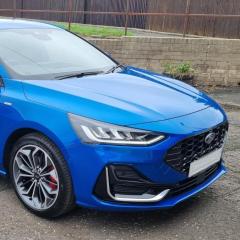
Featured Replies

19 minutes ago, Langa said:

My car is also a Feb 23 build.

Had I connected to a battery charger for days at a time with WiFi coverage (multiple times), no update with SoC at/over 80%. Don't think it's a battery issue for these builds.

Totally agree, maybe something to do with the hardware installed in these builds.


  • Replies 724
  • Views 132.2k
  • Created
  • Last Reply

Top Posters In This Topic

Most Popular Posts

  • Hello All. So today the software we have all been waiting for, finally installed. You must have had Software Module updates first which is Sync Version, 6.1.0, then 6.2.0 will download and i

  • Hi all. the software update of Sync 4 on the Ford Focus has been Paused / Pulled for the moment. If you didn’t receive the update and still on 4.2.2 or 4.2.4 then you will stay on the for th

  • I had mi car updated the other day at the dealer (the promised all-problem-solving-update) after the 6.4.0 update and it works. There are no freezing maps, calls, audio... Now the lane and blind spot

Posted Images

Mine is the same. Reg Feb 23. I've had 1 update shortly after I bought it in Sept 23, nothing since. I've had it on charge overnight too several times and within wifi range. The 1 update ive had it said it was to allow for further updates, then nothing. The only good thing is that I don't seem to have had the issues of so,e of the earlier build cars. The Sync 4 seems to work OK. The car, website or app don't have any messages to show anything is outstanding or due, so it looks like these early 23 cars are the same.

On 8/26/2025 at 2:52 PM, unofix said:

The main reason that OTA updates fail to happen, or start but then fail to complete is because of the car battery State Of Charge.

The MAXIMUM factory charge level is set at 80% and before an OTA will start it needs a battery SOC of 70%

The only way to stand a chance of receiving an OTA update is ensure you keep the vehicle connected to a battery charger when parked, and within range of a good strong Wifi signal.

I am putting my money on this too.

I also found out that I have the malfunctioning dashboard box light. It stays on when it is closed causing battery drain.

Fixed this quite easliy.

Ordered a NOCO 5 charger which will arrive tomorrow. Will connect and charge the battery and see if that makes a difference.

I have no idea how i can check the State of Charge of the battery. Any good suggestions?


17 minutes ago, Rveupen said:

I have no idea how i can check the State of Charge of the battery. Any good suggestions?

Very easy.

All you need is a digital multimeter that can measure voltage to two decimal places, for example 12.34V

Always measure the battery terminal voltage after the vehicle has been parked for at least one hour. Worth checking again after it's been parked overnight just to see how well the battery is doing.

See the attached table below with the voltage = SOC

Ford - Battery SOC & Text.JPG

Or as an alternative to measuring the battery voltage with a multimeter, you could always use the mobile version of FORScan and read the data live.

See the attached example from my own Focus. Note I have changed the SOC factory default up to a target of 95%

SOC.png

9 hours ago, unofix said:

Or as an alternative to measuring the battery voltage with a multimeter, you could always use the mobile version of FORScan and read the data live.

See the attached example from my own Focus. Note I have changed the SOC factory default up to a target of 95%

SOC.png

I am very interested in this way.

Is there a free version of FORScan or do I need to purchase an activation key?

I bought this OBDII bluetooth adapter in the past. Will it be able to show the battery stats as you have in the picture:

https://www.obd24u.nl/elm327-obd2-scanner-bluetooth.html

FORScan:

Windows laptop version. Free to download, around £12 for the licence.

Mobile phone version £7

That elm327 bluetooth adapter is not compatible with FORScan. You will need one of the vLinker products.

On 4/7/2024 at 8:59 PM, unofix said:

FORScan (for use with Windows Laptop) : https://forscan.org/download.html

It's what many Ford owners use including some Ford technicians.

OR

For diagnostic use only:


1 hour ago, unofix said:

FORScan:

Windows laptop version. Free to download, around £12 for the licence.

Mobile phone version £7

That elm327 bluetooth adapter is not compatible with FORScan. You will need one of the vLinker products.


Thanks for the info.

I have an activation key for FORScan and i have just ordered this one as I only need diagnostics and I will use my Android mobile for the diagnostics.

https://www.amazon.nl/dp/B08H8JHWP2?ref=ppx_yo2ov_dt_b_fed_asin_title

2 hours ago, Rveupen said:

will use my Android mobile for the diagnostics.

That link is for the vLinker FD+ which is intended for the iPhone. It will work with android but is reportedly slower than the correct dongle for the android.

If it's not too late I'd cancel your Amazon order and order the correct vLinker FD for the Android phone.


Just now, Rveupen said:

So this would be the correct one?

Yes that is correct 👍. A little more expensive than the Amazon link I posted but it is the correct part.

https://www.amazon.co.uk/Vgate-Bluetooth-vLinker-Scanner-Diagnostic/dp/B08H82WC8L

For iOS users, there is also an app called Car Scanner ELM OBD2 which can read the Battery SoC (sadly, it's an universal app and does not read very much Ford specific data) and supports CarPlay. 

I wish ForScan would support CarPlay as well.

On 8/28/2025 at 12:21 PM, unofix said:

Yes that is correct 👍. A little more expensive than the Amazon link I posted but it is the correct part.

https://www.amazon.co.uk/Vgate-Bluetooth-vLinker-Scanner-Diagnostic/dp/B08H82WC8L

Still waiting for the VGATE.

In the meantime I have connected a battery charger to the battery and made sure it is fully charged. Trying to install updates by letting the car run makes no difference.

I am beginning to think that this might be hardware related with no solution. I asked the Ford dealer where i purchased the car to see if he could see any update. As far as he can see all modules are up to date.
I have contacted Ford Netherlands and they have created a case that is going to be passed to IT as they say after I supplied them with photos of the current SYNC4, Maps and NAvigation versions.

Ford-Module-versions.png


I have looked into FDRS software which can be freely downloaded. You need a license to use it that can be purchased for 1 hour, 1 day 1 week and so.

BUT...you also need a special cable and these are not cheap as far as I can see. Found a Youtube video explaining it all and the cable he mentions is the Opus IVS Mongoose-Plus J2534 costing a whopping 575 dollars. Not sure if there is any other cable that is suitable to use.

And that been said, seeing the fact that all modules are supposedly up-to-date (See attached picture) I am not sure if i will even get the result i want.

Maybe indeed incompatible hardware which I refuse to accept.

Found this on a F150 site concerning the APIM when the Product code is at or under 23187_Product:

Source: 2021 F-150

SSM 53966 2021-2025 Various Vehicles - SYNC4 - General System Performance And Stability - Programming No Longer Available Some 2021-2025 Ford/ Lincoln vehicles equipped with SYNC4 may not be able to perform an update to the accessory protocol interface module (APIM). This may be due to the software in the APIM. Ford Engineering has de-activated the ability to update these SYNC4 APIM modules as applicable, and the Ford Diagnosis and Repair System (FDRS) will not present an update for the APIM module. Some existing directed repairs may be impacted, check Professional Technician System (PTS) before attempting any specific technical service bulletin (TSB)/special service message (SSM) and check field service action (FSA) landing pages before attempting any FSA repairs. For any vehicle repairs requiring a software update that includes an APIM update in the programming sequence, if the 5-digit product code for the APIM software is equal to or lower than 23187, do not attempt to update affected modules at this time. To determine the 5-digit product code for the APIM software on the vehicle, while the vehicle center display screen is powered up with ignition in run or accessory, go to Settings > General > About SYNC. Find the 5-digit code (example: “SYNC 4, Software Version: 23187_PRODUCT”). If further support is required, follow normal internal dealer escalation process

does that mean force the programme and if it kills the APIM think yourself lucky you get to buy later hardware that's not messed up stopping your car from getting needed updates ?

3 hours ago, Rveupen said:

Found this on a F150 site concerning the APIM when the Product code is at or under 23187_Product:

Source: 2021 F-150

SSM 53966 2021-2025 Various Vehicles - SYNC4 - General System Performance And Stability - Programming No Longer Available Some 2021-2025 Ford/ Lincoln vehicles equipped with SYNC4 may not be able to perform an update to the accessory protocol interface module (APIM). This may be due to the software in the APIM. Ford Engineering has de-activated the ability to update these SYNC4 APIM modules as applicable, and the Ford Diagnosis and Repair System (FDRS) will not present an update for the APIM module. Some existing directed repairs may be impacted, check Professional Technician System (PTS) before attempting any specific technical service bulletin (TSB)/special service message (SSM) and check field service action (FSA) landing pages before attempting any FSA repairs. For any vehicle repairs requiring a software update that includes an APIM update in the programming sequence, if the 5-digit product code for the APIM software is equal to or lower than 23187, do not attempt to update affected modules at this time. To determine the 5-digit product code for the APIM software on the vehicle, while the vehicle center display screen is powered up with ignition in run or accessory, go to Settings > General > About SYNC. Find the 5-digit code (example: “SYNC 4, Software Version: 23187_PRODUCT”). If further support is required, follow normal internal dealer escalation process

Thanks for the info.

That would probably explain why my sync has never been updates as I am on Version 23121_PRODUCT Revision 883

My case has also been forwarded to software development in the US. I'm not expecting a usefull response anytime soon...

On 9/6/2025 at 12:06 PM, Langa said:

My case has also been forwarded to software development in the US. I'm not expecting a usefull response anytime soon...

And I was right. Case closed, according to sw development there is no newer software version available for my car and all components seem to be working correctly/show no errors...


  • 3 months later...
On 8/26/2025 at 1:38 PM, Rveupen said:

I am in the same boat.

My SYNC 4 version is as follows:

SYNC 4, Software Version: 23121_Product
Revision: 883

I let a Ford Dealer look into this under warranty and they said that they could do nothing about this.
The updates are OTA and there is nothing they can do.
Ford Netherlands was called and a case has been made that is connected to my number plate / vin. This was on 25 august 2025 and I am eager to find out what the outcome is going to be. I will post any findings.


Ford-sync-4-version.png

Well after nearly 6 months of me repeatedly asking for an update on my case with Ford Netherlands and 1 last trip to the Ford dealer in Eindhoven they finally found out that there is something wrong with the APIM in my car. Apparently a certain status light in the diagnostic software they use turns from Green to Grey once the car is started. Thet status light is for checking for updates I was told.

They had seen this before and thus confirmed that the APIM has to be replaced.

Well that was planned for today but they are having difficulties getting it to work. It has to be "learned" which car it is in, if translated that correctly, and they are having issues trying to do that.

They will be contacting Ford Netherlands tomorrow to get this fixed is what they told me.

  • 3 weeks later...
On 1/5/2026 at 7:09 PM, Rveupen said:

Well after nearly 6 months of me repeatedly asking for an update on my case with Ford Netherlands and 1 last trip to the Ford dealer in Eindhoven they finally found out that there is something wrong with the APIM in my car. Apparently a certain status light in the diagnostic software they use turns from Green to Grey once the car is started. Thet status light is for checking for updates I was told.

They had seen this before and thus confirmed that the APIM has to be replaced.

Well that was planned for today but they are having difficulties getting it to work. It has to be "learned" which car it is in, if translated that correctly, and they are having issues trying to do that.

They will be contacting Ford Netherlands tomorrow to get this fixed is what they told me.

Was Ford finally able to fix it? Did you get a new APIM and are got the latest software update?

  • 5 weeks later...

I went to the dealer today and they were finally able to update the car.

I'm now running 25255_ PRODUCT Revision: 2094.

However, Sync 4/OTA Update Dialog still shows 23-PU2001-PR-FX 2023 as latest installed update.

On 1/20/2026 at 8:43 PM, Langa said:

Was Ford finally able to fix it? Did you get a new APIM and are got the latest software update?

I am so frustrated at the moment.
I took my car in on January 5 and i still have not got it back.
On January 22 some Ford specialist was at the dealer for some other issue and he found out that the APIM version of the new APIM was to new for my car.

Apparently the Ford Dealer contacts Ford Support via a hotline and everytime they stated they are waiting for Ford Support in Germany (Koln).
Escalated this through management and finally got a call this week that a so called "Flying doctor" was planned to go to the dealer to do some research.
Have not heard back from them yet.

13 minutes ago, Langa said:

I went to the dealer today and they were finally able to update the car.

I'm now running 25255_ PRODUCT Revision: 2094.

However, Sync 4/OTA Update Dialog still shows 23-PU2001-PR-FX 2023 as latest installed update.

When my car got updated I got the 24145 version.

Does anyone know if there's any difference in the system? My car started to work fine with that update so...

On 2/19/2026 at 9:23 PM, Rveupen said:

I am so frustrated at the moment.
I took my car in on January 5 and i still have not got it back.
On January 22 some Ford specialist was at the dealer for some other issue and he found out that the APIM version of the new APIM was to new for my car.

Apparently the Ford Dealer contacts Ford Support via a hotline and everytime they stated they are waiting for Ford Support in Germany (Koln).
Escalated this through management and finally got a call this week that a so called "Flying doctor" was planned to go to the dealer to do some research.
Have not heard back from them yet.

Oh god, that sounds horrible. I hope it gets resolved asap.

I'm happy to confirm that after the dealer updated the APIM, the car is doing OTA updates again. Last night, the 6.1.0 update was installed.
(Supprised that the updates were not included in the APIM update)

On 2/23/2026 at 9:29 PM, Langa said:

Oh god, that sounds horrible. I hope it gets resolved asap.

I'm happy to confirm that after the dealer updated the APIM, the car is doing OTA updates again. Last night, the 6.1.0 update was installed.
(Supprised that the updates were not included in the APIM update)

If i may ask which model car do you have and from what year is it?
My Ford Focus is from 2023
image.png

Latest Deals

Ford UK Shop for genuine Ford parts & accessories

Disclaimer: As the club is an eBay Partner, The club may be compensated if you make a purchase via the club

Join the conversation

You can post now and register later. If you have an account, sign in now to post with your account.

Guest
Reply to this topic...

The "Digestive"


Background Picker
Customize Layout

Account

Navigation

Search

Search

Configure browser push notifications

Chrome (Android)
  1. Tap the lock icon next to the address bar.
  2. Tap Permissions → Notifications.
  3. Adjust your preference.
Chrome (Desktop)
  1. Click the padlock icon in the address bar.
  2. Select Site settings.
  3. Find Notifications and adjust your preference.
