
Skip to content
View in the app

A better way to browse. Learn more.

Ford Owners Club - Ford Forums

A full-screen app on your home screen with push notifications, badges and more.

To install this app on iOS and iPadOS
  1. Tap the Share icon in Safari
  2. Scroll the menu and tap Add to Home Screen.
  3. Tap Add in the top-right corner.
To install this app on Android
  1. Tap the 3-dot menu (⋮) in the top-right corner of the browser.
  2. Tap Add to Home screen or Install app.
  3. Confirm by tapping Install.


Join the Independent Ford Owners' Club

Our community has been built by enthusiasts, for enthusiasts, and proudly run by Ford owners' for over 18 years. As an independent, non-official club, everything you’ll find here, advice, support, and opinions, comes directly from members with genuine Ford ownership experience.

Join our friendly community... it's Free!


2007 Zetec S - Radio Adapters!
Featured Replies

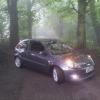
Havn't posted in a while, and since last time I have my self a new *second hand* fiesta- I went for the Mk6.5 Facelift Zetec S model.

She has had a few things done, and I myself have been hard at work improving the cars performance and look!

My latest job has got my stuck and I'd love to see other people's work to maybe link me to where they bought their parts or to suggest my next steps.

Basically, as some of you may know, this model comes with that rather large double din head unit, that requires 4 keys and some pulling and shoving to remove. I have accomplished that stage of the radio refit, and am left with a whacking great big whole. I have sourced the wiring loom adapters to get my after market stereo in, and have that all running. It just comes to the task of finishing the job.

My question to you, is -- What fascia is best to harness the single Din radio, and hide that huge whole that's left. I have found them out there from halfords/ebay etc, but these just face it, Im sure there must be something else that needs to be used to cage the radio to stop it slumping backwards like a cage.

Photos would be great if you have done this already!

I will try and upload photos of my car when the site allows me?

Thank you.


Latest Deals

Ford UK Shop for genuine Ford parts & accessories

Disclaimer: As the club is an eBay Partner, The club may be compensated if you make a purchase via the club

Join the conversation

You can post now and register later. If you have an account, sign in now to post with your account.

Guest
Reply to this topic...

The "Digestive"


Background Picker
Customize Layout

Account

Navigation

Search

Search

Configure browser push notifications

Chrome (Android)
  1. Tap the lock icon next to the address bar.
  2. Tap Permissions → Notifications.
  3. Adjust your preference.
Chrome (Desktop)
  1. Click the padlock icon in the address bar.
  2. Select Site settings.
  3. Find Notifications and adjust your preference.
