


Ford Focus Club
Subforums
-
Ford How-To Guides Tips, Tricks and share info on how to repair or modify your Ford!
Have something to share then why not add it to our guides section!- 6.4k posts

37,368 topics in this forum
-

- 29 replies
- 25k views
 RL123
RL123 -

- 5 replies
- 1.5k views
 unofix
 -

- 0 replies
- 473 views
Mike_Christelow -

- 16 replies
- 2.9k views
dave37 -

- 4 replies
- 1.5k views
Kapersky -

- 3 replies
- 2.4k views
 JW1982
 -

- 4 replies
- 1.1k views
Ty7832 -
- 4 replies
- 2.4k views
 Botus
Botus -

- 11 replies
- 11.6k views
 Shak3y
 -

- 3 replies
- 1.2k views
 StephenFord
 -

- 12 replies
- 3.3k views
 TriPhil
 -

- 22 replies
- 21.1k views
 Paulkp
 -

- 11 replies
- 6.9k views
Botus -

- 3 replies
- 29.1k views
 VaporTrail
 -

- 26 replies
- 8.7k views
AntonovAN12 -

- 1 reply
- 3.2k views
unofix -
- 8 replies
- 29.1k views
JW1982 -

- 20 replies
- 40.5k views
unofix -

- 17 replies
- 6.4k views
 TomsFocus
 -

- 0 replies
- 790 views
Outsignys -

- 2 replies
- 1.6k views
TomsFocus -

- 2 replies
- 2k views
 2016focus
 -

- 10 replies
- 30.4k views
 david795
 -

- 4 replies
- 1.4k views
RL123 -
- 42 replies
- 24.8k views
Paulkp -

- 0 replies
- 862 views
Vitor -

- 1 reply
- 593 views
unofix -

- 2 replies
- 7.3k views
Vitor -

- 3 replies
- 1.3k views
 Wino
Wino -
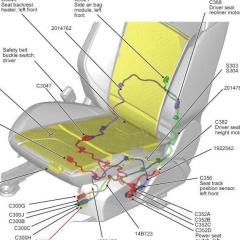
- 3 replies
- 2.2k views
mrmetallica


